
CDD Vault Overview: Features, Pricing & Who It’s For (2026)
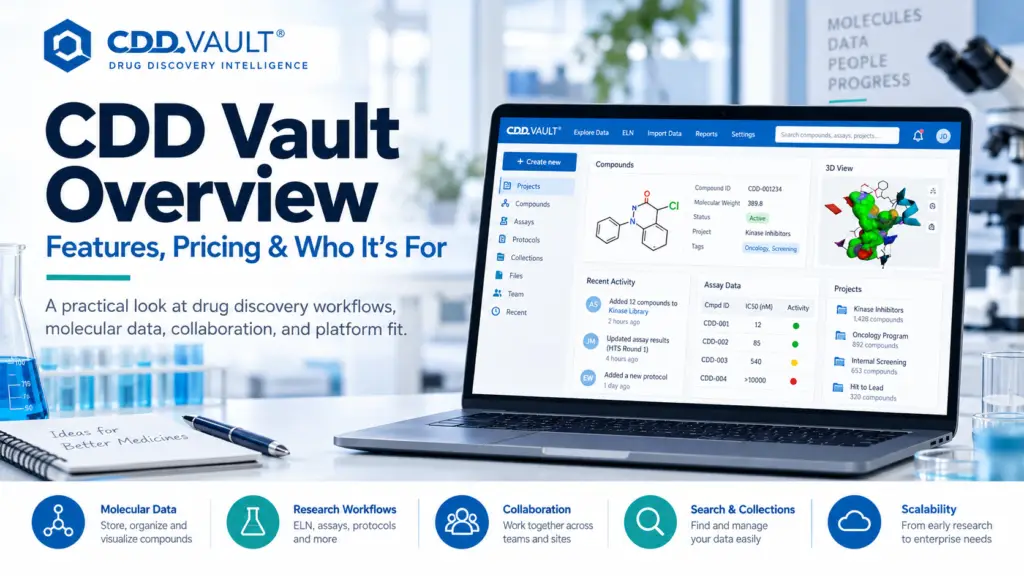
CDD Vault is the pragmatist’s drug discovery platform — a hosted, modular informatics system covering chemical registration, bioassay data management, SAR analysis, ELN and inventory, built around being genuinely usable by both chemists and biologists from day one. Its defining advantages are speed and cost: reviewers report deployments live within days to a week, and “the price” appears repeatedly as the stated reason for choosing it. The trade-offs are equally clear — graphing capability that sends users back to GraphPad Prism, and sample-lifecycle depth that stops at compound inventory rather than full LIMS coverage. Best for: small-to-mid-sized discovery teams, biotech startups, academic drug discovery labs, and distributed collaborations that need chemistry–biology data unified without an enterprise implementation project. Consider alternatives if: you need enterprise-scale governance across many sites, full LIMS sample lifecycle management, or publication-grade graphing inside the platform. What CDD Vault is CDD Vault is the flagship product of Collaborative Drug Discovery, founded in 2004 and based in Burlingame, California — making it one of the longer-established independents in discovery informatics, and notably still independent in a market that has consolidated heavily. The platform is a comprehensive SaaS database and informatics system for drug discovery data, hosted through a web interface, letting multidisciplinary project teams securely manage, analyze and collaborate on chemical and biological data. It serves scientists at academic institutions and biotech or pharmaceutical companies, including collaborative projects spanning both — and extends beyond pure drug discovery into agritechnology, formulation and other research-intensive environments. Its positioning is deliberately different from the enterprise platforms: rather than a governed system of record requiring workflow modelling and a deployment project, CDD Vault aims to be adopted quickly and cheaply by teams that need industrial-grade data management without industrial-grade overhead. Modules and capabilities CDD Vault is sold modularly, which matters for both cost and fit. The core components: Activity & Registration — the chemical registration and assay data backbone, described as a modern web application for chemical registration, assay data management and SAR analysis. The registration system handles both small molecule and biologics data from lab experiments. Electronic Lab Notebook — integrated directly with the chemical and biological assay data repositories and the analysis environment, allowing teams to archive and search experiments and collaborate securely. Users can document research using text, images, tables and files, and design custom ELN forms. Visualization — a dynamic analysis tool for plotting and analyzing large datasets to find patterns, activity hotspots and outliers. Teams can search experiments and results in a SAR table, filter substructures to detect patterns, and measure result quality through heatmap visualizations or plate statistics. Inventory — compound and reagent tracking, letting supervisors maintain compound details, pre-order compounds, allocate resources and track location using barcodes, with visibility across in-house and externally shared stock. APIs and hosting — a fully documented API and secure online hosting, with data flowing between ELN, database, built-in analytics and integrated third-party tools. Additional capabilities reported include curve analytics, workflow automation, AI features, access controls and permissions, audit management, electronic signature and secure data storage. For what regulated environments require of these, see our 21 CFR Part 11 explainer. Strengths Speed to value — the standout differentiator This is where CDD Vault separates itself most sharply from enterprise alternatives. Independent evaluation rates CDD Vault 4.7 out of 5 on implementation services and domain expertise, with users reporting fast time-to-value and deployments often live within days to a week. The vendor’s own framing — that no implementation is needed — is broadly corroborated by an academic user who described the system as easy, flexible and intuitive, requiring nearly zero maintenance. Set that against the enterprise discovery platforms, where reviewers consistently report lengthy setup and heavy coordination, and the contrast defines who each product serves. Our implementation timeline guide covers why this gap matters so much in practice. Cost-effectiveness Affordability is the most consistently cited reason users choose CDD Vault. One reviewer’s stated reason for choosing the platform was simply “The price!” Another, who had experience with Daylight, Modgraph, CambridgeSoft, Dotmatics and ChemAxon, returned to CDD when joining a new startup, citing a very cost-effective, easily customizable and quick way to store, review and retrieve data. An academic user described it as a cost-effective way to recapitulate industrial-style databases in a smaller environment. Genuine chemistry–biology usability The platform’s central claim — that chemists and biologists can both work in it daily — holds up in user accounts. A biologist who brought CDD Vault into a new discovery programme described it as enabling easy data-sharing between chemistry and biology so cross-discipline discussions become clear and productive, with screening data from raw or normalized plate formats linked to compound structures and computed properties making sorting and ranking straightforward. Another reviewer confirmed it serves both biologists and medicinal chemists, and that integration with external resources such as PDB and chemogenomics databases assists in first-step hit characterization. Support quality Support emerges as an unusually strong theme. One reviewer wrote that the support team deserves 13 out of 10 stars, calling it among the best they had received; another described technical support as astonishingly fast and helpful. Independent evaluation notes that the support team includes scientists who understand the domain — a meaningful distinction from generic software support. External collaboration The platform is built for distributed research teams collaborating securely in real time, with flexible controls for sharing data with internal teams and external partners. For academic groups and virtual biotechs coordinating with CROs and collaborators worldwide, this is a core capability rather than a feature. Limitations Graphing is the most consistent complaint. Several reviewers cite limitations in graph customization versus tools like GraphPad Prism. One user was explicit: they like the customizability and the optional ELN, but find the graphs non-adjustable, so figures for papers and grants still go through Prism. This is a workflow friction rather than a functional gap, but plan for a separate graphing tool in your stack. Sample lifecycle depth stops at compound inventory. Some users want broader LIMS-style sample
Dotmatics Overview: Features, Pricing & Who It’s For (2026)
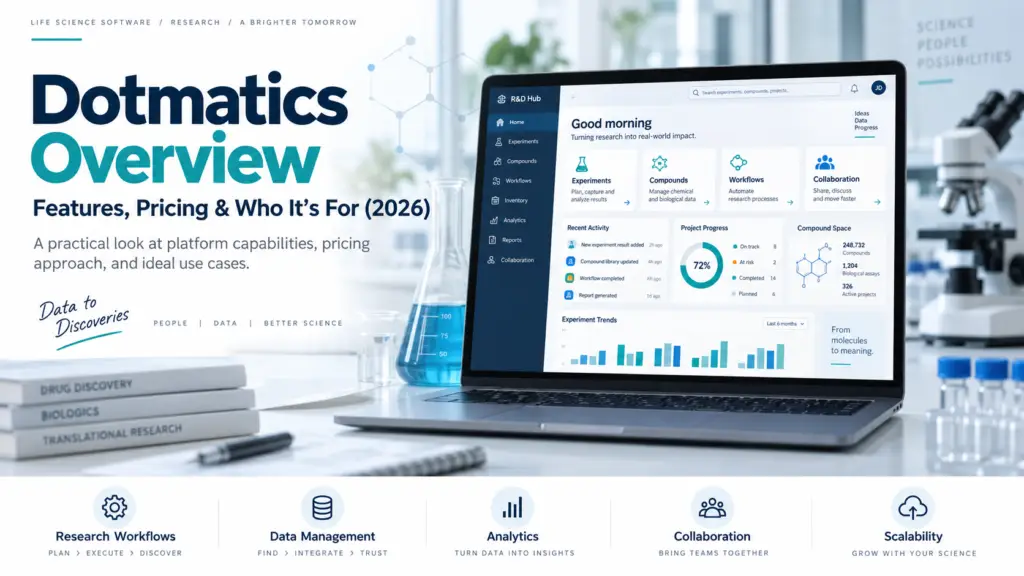
Dotmatics is one of the most complete integrated discovery informatics platform on the market — an ELN, compound and biologics registration, assay data management, and analytics layer, wrapped around a portfolio of applications most scientists already use daily, including GraphPad Prism, SnapGene and Geneious. Its genuine strength is unifying chemistry and biology on one backbone. Its genuine cost is deployment weight: reviewers consistently report lengthy setup and heavy coordination. And the defining fact of 2026 is that Dotmatics is no longer a private-equity-backed independent — Siemens acquired it for $5.1 billion, a change that brings scale and raises questions every prospective buyer should ask. Best for: large discovery organizations, biopharma, CRO/CDMOs and industrial R&D running both chemistry and biology programmes that need a single governed system of record. Consider alternatives if: you’re a small lab wanting a notebook-first tool, you need fast time-to-value, or your workflows are instrument-centric rather than discovery-centric. What Dotmatics is Dotmatics is a scientific R&D platform combining an electronic lab notebook, sample and sequence registration, inventory management, workflow automation, and scientific data search and analytics in one connected system. It targets biopharma, CRO/CDMOs and industrial R&D, positioning itself as a replacement for disconnected point tools and spreadsheets with a governed system of record. What distinguishes it from most ELN vendors is that Dotmatics is not really one product. It is an enterprise platform plus a portfolio of well-known scientific applications assembled through acquisition — a structure that has both compounding advantages and integration challenges. The portfolio: what’s actually included Understanding Dotmatics means understanding its constituent parts, because buyers frequently already own several of them. The platform layer. The ELN & Data Discovery Platform is the core notebook and registration environment, with centralized registration and inventory. Luma, released in October 2023, is the newer AI-native multimodal scientific intelligence platform — a low-code SaaS layer that aggregates data across instruments and software into clean data structures for AI and ML analysis, bringing together instrument outputs, application data and enterprise sources for analysis across biology, chemistry and materials. Cheminformatics. Vortex handles chemical data visualization and analysis, supporting the structure-centric workflows that small-molecule discovery depends on. The applications. This is where Dotmatics’ reach becomes unusual: The strategic logic is integration: connecting Prism outputs, Geneious sequence work and flow cytometry data into the Luma platform so results flow into a single governed environment rather than living in silos. In practice, that integration has been delivered progressively rather than all at once, and how complete it is for your specific combination of tools is a fair demo question. Core capabilities for discovery Compound and biologics registration. Dotmatics spans ELN, BioRegister, compound registration and assay data management — the registration backbone that turns informal chemistry into an institutional asset. Our drug discovery ELN guide explains why this matters more than most feature comparisons suggest. Chemistry–biology unification. Independent review synthesis credits Dotmatics specifically with unifying chemistry, biology and assay data on one backbone — the capability that separates genuine discovery platforms from biology-first notebooks. Compliance and governance. Role-based permissions, audit trails and compliance-ready controls support regulated workflows, with flexible integrations to existing lab and enterprise systems. Dotmatics has also pursued FedRAMP certification for its ELN, relevant for government laboratories and a signal of enterprise security posture. For what regulated environments require, see our 21 CFR Part 11 explainer and LIMS validation guide. Traceability. Scientists can plan and capture experiments, track materials with full chain of custody, and connect results to the right samples, sequences and studies so prior work is findable and reusable. The Siemens acquisition: what buyers should know This is the most consequential development in Dotmatics’ history and deserves direct treatment rather than a footnote. What happened. Siemens announced on 2 April 2025 that it would acquire Dotmatics for $5.1 billion from Insight Partners, and announced completion on 1 July 2025. Dotmatics joined Siemens’ Digital Industries Software business, extending the Siemens Xcelerator portfolio into life sciences. The scale behind the price. Dotmatics was expected to generate more than $300 million in revenue in fiscal 2025, described as highly profitable and cash generative with an adjusted EBITDA margin above 40% and mid-teens revenue growth. Siemens projected revenue synergies of around $100 million per year in the medium term, accelerating to over $500 million long-term, and valued the expanded addressable market at $11 billion. The strategic thesis. Siemens’ stated aim is a first-of-its-kind end-to-end digital thread connecting research data through to production — combining Dotmatics’ scientific platform with Siemens’ digital twin and manufacturing capabilities. For organizations that take molecules from discovery into manufacturing, that vision is genuinely differentiated. The history behind it. Dotmatics reached this point through sustained consolidation. Insight Partners first invested in 2017; Insightful Science acquired Dotmatics in March 2021 in a deal valued at up to $690 million; the combined entity rebranded as Dotmatics in April 2022; and Insight Partners supported 14 strategic acquisitions across that period. By 2022 the company reported more than two million scientists and 10,000 customers. The honest questions for a buyer. Ownership changes of this magnitude affect roadmaps, pricing and support models, and it is legitimate to ask about them directly. Reasonable questions for a sales conversation: how has product roadmap prioritization changed under Siemens; what happens to standalone application licensing (Prism, SnapGene, Geneious) versus platform bundling; whether pricing models are being revised; and how the Siemens integration affects support structures. None of these have publicly known answers, and a vendor who engages with them candidly tells you something useful. Our migration guide covers what vendor changes mean for existing customers. Strengths Genuine chemistry–biology integration, which few competitors match at this depth — the core reason Dotmatics appears on discovery shortlists. Application portfolio reach. Owning Prism, SnapGene and Geneious means Dotmatics is already inside most discovery organizations before any platform conversation begins, and the integration path is shorter than adopting an unfamiliar ecosystem. Strong configurability once workflows are modelled, according to independent review synthesis, with approachable day-to-day usability relative to legacy enterprise LIMS suites —
What Are the Best Drug Discovery ELNs? (Buyer’s Guide)
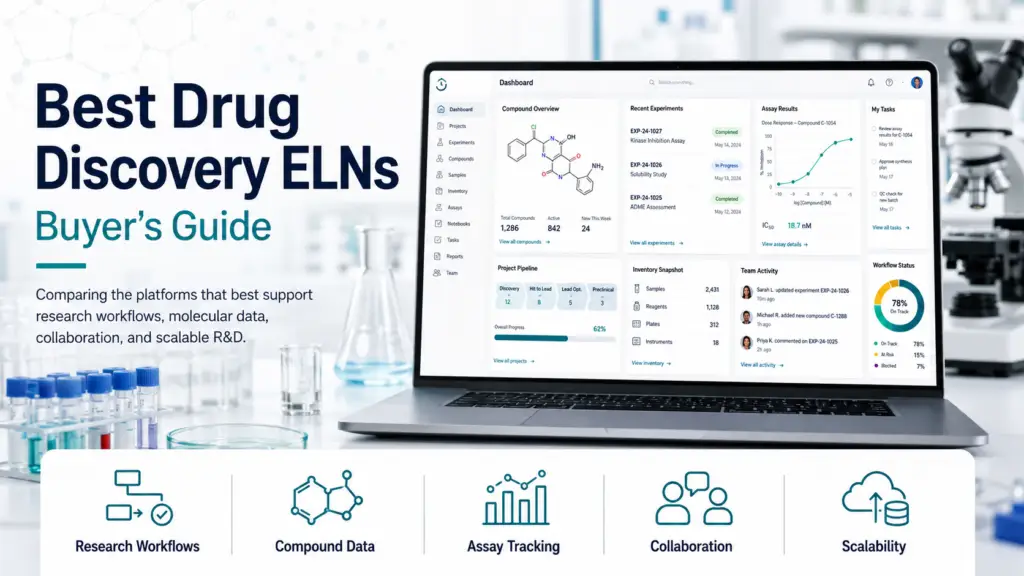
The decisive question in drug discovery ELN selection is not usability, price, or AI features ; it’s whether the platform is chemistry-native or biology-native. Small-molecule discovery lives on chemical structure search, compound registration, and SAR analysis, and platforms built around biology handle these as afterthoughts if at all. Dotmatics and CDD Vault are the chemistry-native options; Benchling and its peers dominate biologics and molecular biology; Revvity Signals and IDBS serve regulated pharma at enterprise scale. Buy across that line and you will spend years working around a gap no configuration can close. Why drug discovery breaks the general ELN market Most ELN buyer guides treat the category as one market with different price points. Drug discovery exposes that framing as wrong, because it demands two capabilities that most notebooks were never built to combine. A discovery programme runs on chemistry: designing and registering compounds, searching by structure and substructure, tracking analogues, and building structure–activity relationships across hundreds or thousands of molecules. It simultaneously runs on biology: assay design, screening data, dose–response curves, and target validation. The whole point of a discovery informatics platform is that these two halves talk to each other — that a chemist can see which analogue moved potency, and a biologist can trace an assay result back to the exact compound and batch. Platforms that grew out of molecular biology handle sequences, plasmids and constructs superbly and treat chemical structures as attachments. Platforms that grew out of cheminformatics do the reverse. Independent buyer guidance is blunt about the consequence: without structure-search capability, chemists cannot efficiently mine their own data for insights — and the recommendation for chemistry-heavy teams is to prioritize built-in cheminformatics over add-ons or plugins. That is the single most useful filter you can apply before looking at any feature list. Our ELN vs LIMS explainer covers the wider category distinction, and our how to choose an ELN checklist structures the general evaluation. What drug discovery actually demands To discover what are the best drug discovery eln, we have to look at specific recquirements of a drug discovery lab. Beyond generic ELN features, five capabilities separate a discovery platform from a digital notebook. Chemical structure and substructure search The ability to query by chemical structure — searching molecular properties, substructures, and the biological activity attached to them — is the foundation. Without it, your accumulated chemistry is a filing cabinet rather than a dataset. Test this in a demo with your own compounds, not the vendor’s examples. Compound registration Registration assigns unique, governed identities to molecules and batches, handling salts, stereochemistry, and parent–batch relationships. Dotmatics spans ELN, BioRegister, compound registration and assay data management as an integrated platform, and CDD Vault provides chemical registration, assay data management and SAR analysis in a single web application. Registration is where informal spreadsheet chemistry becomes an institutional asset — and where platforms without it force you into a separate system. Live SAR analysis The ideal system supports live updates as molecules are drawn and allows visual mapping of structure–activity relationships. SAR analysis is central to optimizing small molecules in medicinal chemistry, and a platform that requires exporting to a separate tool for every SAR question imposes a tax on the core activity of the discipline. Chemistry–biology data flow The value of an integrated platform is cross-disciplinary clarity. One verified CDD Vault user — a biologist who brought the system into a new discovery programme — described the technology as enabling easy data-sharing between chemistry and biology so cross-discipline discussions become clear and productive, with screening data from raw or normalized plate formats linked to compound structures and computed properties making sorting and ranking straightforward. Regulatory posture, where relevant 21 CFR Part 11 — requiring signer name, date and time, signature meaning, and an audit trail for any post-signature change — is described as the dominant ELN selection criterion for pharma and biotech labs. Early discovery is often outside GxP scope, but if your programme will move toward IND-enabling work, buying a platform that can carry you there avoids a painful migration later. Our LIMS for pharmaceutical QC guide covers what regulated environments require. The platforms, by profile There is no single best drug discovery ELN, so the grouping below is by the kind of organization each serves. Chemistry-native platforms Dotmatics is the most complete integrated scientific informatics platform for discovery, spanning ELN, BioRegister, compound registration and assay data management, with Studies and Vortex for visualization. Its Luma layer extends this with a unified data layer bringing together instrument outputs, application data and enterprise sources across biology, chemistry and materials, and it targets biopharma, CRO/CDMOs and industrial R&D with role-based permissions, audit trails and compliance-ready controls. Independent review synthesis credits Dotmatics with unifying chemistry, biology and assay data on one backbone, strong configurability once workflows are modelled, and approachable day-to-day usability relative to legacy enterprise LIMS suites. The honest caveats are consistent too: reviewers report lengthy initial setup and slow onboarding with heavy coordination during enterprise deployment, search and advanced query capabilities that lag instrument-centric LIMS competitors, and integration friction with some external systems. The platform fits large discovery organizations well, while smaller labs may prefer simpler notebook-first tools. CDD Vault, from Collaborative Drug Discovery — founded in 2004 and based in Burlingame, California — offers chemical registration, assay data management, SAR analysis, an optional ELN, data visualization, AI-driven analysis, automation and inventory management in an intuitive web interface. Its reputation among users is built on cost-effectiveness and speed to value: one long-term reviewer who had experience with Daylight, Modgraph, CambridgeSoft, Dotmatics and ChemAxon returned to CDD when starting at a new company, citing a very cost-effective, easily customizable and quick way to store, review and retrieve data. The recurring criticism is analytics presentation — one reviewer praised the customizability and optional ELN while noting the graphing is not adjustable enough, so figures for papers and grants still go through GraphPad Prism. That’s a workflow friction rather than a disqualifier, but worth knowing. Enterprise regulated pharma Revvity
QBench vs CloudLIMS: Which Cloud LIMS Fits Your Lab?
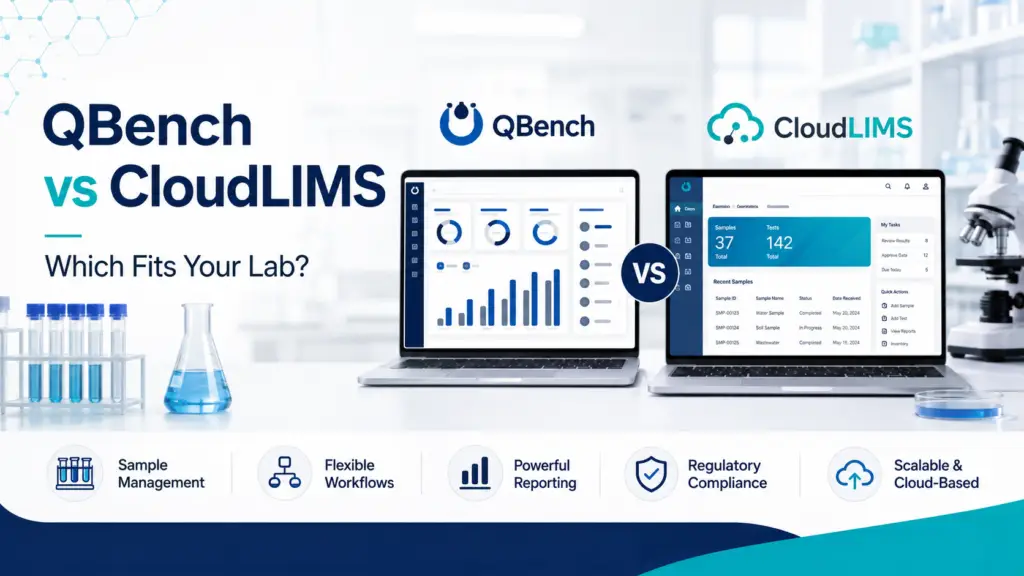
This is the closest matchup in the small-to-mid-market cloud LIMS segment, and both platforms genuinely deserve their shortlist spots. QBench wins on day-to-day usability, support quality, no-code configurability, and API-driven integration — backed by a substantially larger independent review base and repeated G2 usability rankings. CloudLIMS wins on value for money, field and mobile sample workflows, and breadth of regulated-sector coverage from biobanking to environmental testing. One verified user who evaluated both summed the trade-off up precisely: QBench was the more polished product, but the budget didn’t stretch. That sentence is the whole comparison in miniature. Why these two end up on the same shortlist QBench and CloudLIMS occupy nearly identical market territory: cloud-native, SaaS-delivered, fast to deploy, aimed at small and mid-sized testing labs that need real LIMS capability without enterprise weight or an IT department. Independent buyer guidance repeatedly names them together as the strongest options for labs seeking a reliable, affordable system. They’re also both genuinely well-rated, which is not something you can say about every head-to-head. The interesting question is therefore not “which is better” but which trade-off you’d rather make — polish and support depth, or price and sector reach. The independent scorecard Neither vendor’s marketing is the right basis for this decision, so here’s what independent review platforms show. Dimension QBench CloudLIMS G2 rating 4.5 / 5 (139 reviews) Fewer G2 reviews available Capterra rating 5.0 / 5 (3 reviews) 4.6 / 5 (46 reviews) Capterra starting price $249 / user / month $230 / user / month G2 entry tier $275 / user / month (Foundation) — Market segment 77.1% small business Small and mid-market testing labs Free version / trial Free trial and free version listed Free trial and free version listed Ease of use (G2) 8.3 (136 reviews) — Ease of setup (G2) 7.5 (76 reviews) — Quality of support (G2) 9.3 (103 reviews) — Good partner in business (G2) 9.6 (49 reviews) — Product direction (G2) 9.7 (108 reviews) — Two important caveats on this table. First, the review bases are asymmetric: QBench has far more G2 reviews (139) while CloudLIMS has the deeper Capterra base (46 versus QBench’s 3). Comparing a 5.0 from three reviewers against a 4.6 from forty-six is not a like-for-like comparison, and the larger sample is the more reliable signal. Second, QBench’s published price varies by source — $249 on Capterra, $275 as the G2 Foundation tier, and $375 in one G2 editorial listing. These cannot all be current simultaneously. The likeliest explanation is a 2026 price revision or tier renaming, and the practical lesson is to confirm current pricing directly rather than trusting any published figure. Our LIMS pricing benchmark covers this market-wide opacity in detail. Where QBench wins Day-to-day usability This is QBench’s clearest advantage, and it comes from independent sources rather than its own marketing. G2’s editorial comparison of the LIMS category states directly that while CloudLIMS is also user-friendly, QBench tends to stand out more for ease of day-to-day use. QBench has ranked #1 for usability in G2’s Spring 2026 LIMS rankings and has won “Best Relationship” and “Easiest to Do Business With” badges across multiple cycles. An independent review synthesising over 100 verified reviews from G2, Capterra and Software Advice found the pattern remarkably consistent: QBench wins on speed, no-code configurability, and support. Support quality QBench’s G2 support score of 9.3 across 103 reviews is genuinely strong, and reviewers repeatedly cite hands-on, responsive staff who understand lab work as the standout feature. For a small lab without informatics staff, this often matters more than any feature comparison. No-code configurability QBench’s configurability lets lab managers change workflows, fields, filters and reports themselves without waiting on vendor developers — a meaningful advantage for labs whose processes evolve, and one that avoids the cost and delay of vendor-side change requests. API and integrations QBench offers a modern REST API and nine listed integrations including NetSuite, Salesforce, QuickBooks, Tableau and HubSpot. For labs that need their LIMS connected to accounting, CRM or BI tooling, this ecosystem depth is a practical differentiator. Built-in QMS and commercial tooling QBench bundles inventory management, customer portals, billing, and a quality management system alongside core LIMS functionality — useful for commercial testing labs where client billing and audit-readiness are daily operational concerns. Best fit for QBench: commercial and analytical testing labs prioritizing usability and support; teams wanting to configure workflows themselves without vendor dependency; labs needing billing, client portals and QMS in one platform; second-time LIMS buyers burned by rigid legacy systems; organizations that need API integration with business systems. Where CloudLIMS wins Value for money This is CloudLIMS’s most consistently cited advantage, and unusually it’s corroborated by an independent voice rather than only the vendor. A verified Capterra reviewer who evaluated both platforms wrote that QBench was more polished than CloudLIMS, but the budget didn’t accommodate it — choosing CloudLIMS on price and reporting satisfaction with its interface, instrument integration and flexible pricing. CloudLIMS positions itself explicitly around affordability with zero upfront cost, and its Capterra starting price of $230/user/month sits below QBench’s published tiers. CloudLIMS’s own competitive analysis also notes that QBench training is priced separately at typically $5,000–$10,000 with professional services varying by scope — a competitor’s claim that should be verified directly, but a fair prompt to ask both vendors what’s included versus billed. Field and mobile sample workflows G2’s editorial assessment is direct on this point: the best cloud-based LIMS with mobile access for field sample collection is CloudLIMS, being fully browser-based across mobile, tablet and laptop, letting field teams collect, track and upload samples in real time — and it notes QBench is an option but CloudLIMS is better suited for field-based workflows. For environmental labs, remote sampling operations, or any lab where custody begins outside the building, this is a decisive capability. Our LIMS for environmental and food testing labs guide covers why field custody matters so much in that sector. Breadth of regulated sector coverage CloudLIMS serves biobanking, clinical diagnostics,
Benchling vs Genemod: Which Fits Your Lab?
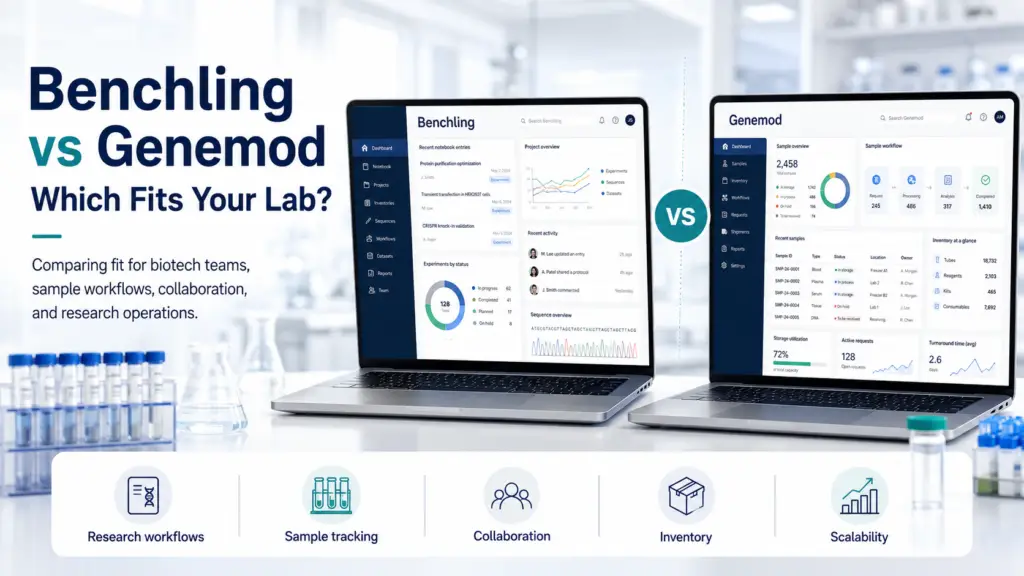
These platforms are not competing for the same lab, and treating this as a winner-takes-all comparison is the fastest way to buy the wrong one. Benchling wins where molecular biology depth, sequence tooling, ecosystem maturity, and enterprise-scale credibility decide the outcome — and its free unlimited academic tier is unmatched. Genemod wins where a unified ELN + LIMS + inventory data model, transparent pricing, fast setup, and mid-market economics decide it — and independent G2 data shows it scoring higher on usability, support, and product direction. The right question is not which is better, but which set of constraints is yours. A note on sources, because it matters here Search “Benchling vs Genemod” and something becomes obvious quickly: nearly every comparison on the first page is published by Genemod. Their guides are well-argued and, to their credit, openly acknowledge the bias — one states plainly that they make a competing product and will be honest about who Genemod is and is not for. But a market where one competitor authors most of the comparative literature is not one where buyers can easily calibrate. This guide therefore leans on independent G2 review data for the head-to-head scoring, cites vendor material only where clearly labelled, and states where the evidence is thin. Where G2 sample sizes are small — and several are — we say so rather than presenting a score as settled fact. The independent scorecard G2’s direct comparison gives the clearest neutral signal available. Dimension Benchling Genemod Overall rating 4.5 / 5 (64 reviews) 4.8 / 5 (49 reviews) Meets requirements 8.2 (39) 9.1 (43) Ease of use 8.2 (39) 9.4 (43) Ease of setup 8.9 (9) 9.4 (32) Quality of support 8.4 (32) 9.6 (40) Product direction (% positive) 8.6 (34) 9.7 (41) Good partner in doing business 9.2 (11) 8.8 (7) Entry-level pricing Not published Free tier available Free trial Not listed Available Market segment 63.9% small business 61.2% small business Review counts in parentheses. Several dimensions rest on fewer than 15 reviews — treat those as directional, not definitive. G2’s own summary: reviewers found Genemod easier to use, set up and administer, felt it met their needs better, and preferred its support and roadmap direction. Reviewers preferred doing business with Benchling overall — the one dimension where Benchling leads, though on very small samples for both. The pattern is consistent enough to be meaningful: Genemod’s users report a better day-to-day experience, while Benchling retains an edge in the commercial relationship dimension that often correlates with organizational maturity and account management depth. Where Benchling wins Molecular biology and sequence-heavy science This is Benchling’s genuine moat, and no amount of competitive positioning changes it. Its sequence editors, plasmid maps, CRISPR design tools, and molecule registration are built into the platform as first-class capabilities, and its molecular biology tooling is widely acknowledged as the category benchmark — even by competitors, who concede it shines for biologics workflows. If your scientists spend their days designing constructs, registering molecules, and documenting cloning, this is not a feature comparison — it is the reason the platform exists. A lab doing heavy molecular work will extract value from Benchling that a more operationally-focused platform simply does not offer. Computational biology and scientific reasoning Benchling has invested in stitching scientific foundation models into its R&D suite, and even Genemod’s own comparison concedes that Benchling AI shines on scientific reasoning, document migration, and computational biology. For teams with computational capability who want AI applied to the science rather than to lab logistics, this is the stronger fit. Academic labs — free and unlimited Benchling’s academic tier is genuinely free and unlimited, which is why it is ubiquitous in university labs. For a PhD student, postdoc, or academic group, this is close to unbeatable, and many institutions already hold access. Check before you buy anything. Scale, ecosystem, and enterprise credibility Benchling operates at a scale Genemod does not yet match: over 200,000 scientists at more than 7,000 academic and research institutions, with sustained triple-digit ARR growth through its expansion years, and a 4.5/5 G2 rating placing it near the top of the LIMS and ELN categories. Its API-first architecture integrates well with existing infrastructure, and its ecosystem maturity means fewer unknowns for a large organization. For a buyer whose procurement process weights vendor stability, reference customers at scale, and ecosystem depth, Benchling carries advantages that a younger competitor cannot manufacture. The best fit for Benchling Molecular-biology-centric R&D teams; biologics and computational biology groups; academic labs (free tier); established teams already standardized on Benchling looking to extend into LIMS without switching vendors; organizations where enterprise-scale credibility is a procurement requirement. Where Genemod wins The unified data model Genemod’s core architectural argument is that experiments tie directly to samples, inventory, files and workflows in a single schema — avoiding what the industry calls the “integration tax” of stitching separate ELN, LIMS and inventory tools together. Their own framing is that they built both ELN and LIMS properly from the start rather than making buyers choose between a modern notebook lacking LIMS depth or a robust LIMS with a clunky interface. The independent data supports this holding up in practice: Genemod scores 9.2 on Lab Informatics against Benchling’s 7.8, and leads across chain-of-custody dimensions. Notably, even Genemod’s competitors’ framing of Benchling concedes that its inventory module works but doesn’t feel like a first-class citizen of the platform. Sample and inventory management depth For labs whose daily pain is sample tracking, freezer management and inventory reconciliation rather than sequence design, this is the decisive difference. Genemod offers real-time freezer mapping, structured ELN templates, and versioned protocol management — the operational infrastructure of running a lab. Mid-market pricing and transparency Genemod publishes plans with a free entry tier and a free trial; Benchling publishes no commercial pricing at all. The commercial gap is significant: Benchling is reported to start around $15,000/year for a small team, and Genemod’s positioning explicitly targets the moment when “the quote arrives, it is roughly twice what
AI Agents in the Lab: Hype vs Reality (2026)
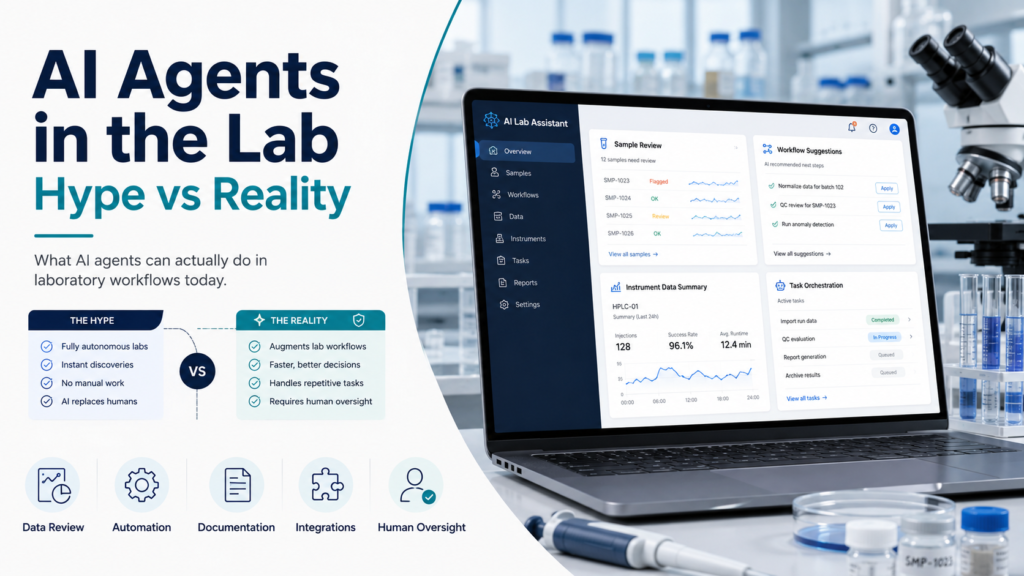
AI agents in laboratories are simultaneously more real and less transformative than the marketing suggests. Genuine autonomous systems have optimized real chemical reactions, run 17 days of unattended inorganic synthesis, and designed experimentally validated nanobodies — these are documented results, not demos. But the fully autonomous lab that picks its own questions and needs no scientists does not exist, and the enterprise track record is sobering: MIT’s Project NANDA found 95% of generative AI pilots deliver no measurable P&L impact, while Gartner projects over 40% of agentic AI projects will be cancelled by end of 2027. The gap between the two pictures isn’t model quality. It’s whether your data, workflows, and governance are ready for an agent to operate inside them. This guide separates what works from what’s being sold. Defining terms, because the vocabulary is doing a lot of work “AI agent” is used loosely enough that vendors and buyers frequently mean different things, and the ambiguity is commercially convenient. An AI assistant answers questions or drafts text when asked. An AI agent takes actions autonomously against a goal — monitoring, deciding, and executing without a human triggering each step. Agentic orchestration places multiple agents inside a controlled process framework with audit trails, approval steps, and defined decision boundaries. The distinction matters because most “agents” sold today are the first category wearing the second category’s name. Industry research is direct about this: 80% of IT leaders say most of their agents today are still limited to chatbots or assistants, and 48% operate in silos rather than inside end-to-end workflows. When a vendor demonstrates an “AI agent” for your lab, the first question is whether it acts or merely answers. What genuinely works today Set the scepticism aside for a moment, because the real results are substantial and worth knowing precisely. Autonomous experimentation has produced peer-reviewed results. An LLM-driven agent (Coscientist) optimised real chemical reactions. Berkeley’s A-Lab ran autonomous inorganic synthesis for 17 consecutive days. In 2025, the Virtual Lab’s AI agents designed nanobodies that were subsequently experimentally validated. These are not vendor case studies; they are published science. The common thread explains where autonomy succeeds: these work because the goal and the success signal are crisp. Where the objective is well-defined and the system can measure whether it succeeded, agents perform. That single condition is the most useful predictor of whether an agentic application will work in your lab. Operational agents are deployed in labs now, in less glamorous but more immediately valuable roles. Agents connected to LIMS, instruments and inventory systems can continuously monitor incoming samples, test orders, instrument availability and queue depth — automatically routing STAT samples to the fastest available instrument, batching routine samples for efficiency, and reordering queues as priorities shift, in real time without human intervention. This is sample-routing optimization, not scientific discovery, and it is precisely the kind of bounded, measurable task where agents earn their keep. Prediction and design loops are reducing wet-lab cost. A July 2026 paper (Hur & Lee, ICML AI-for-Science Workshop) targets what it calls the validation bottleneck with two mechanisms: a prior-aware experiment-design loop that proposes fewer but more informative next experiments, and a cost-aware surrogate that predicts expensive high-resolution measurements from cheap low-resolution ones, choosing between measurement types based on predicted uncertainty. The economic logic is compelling — spend fewer wet-lab rounds to reach the same answer. What doesn’t work — and what’s being oversold The autonomous lab that needs no scientists does not exist. What marketing often implies — a laboratory that picks its own questions — is not a current capability. Even the headline results were steered by humans, and in A-Lab’s case, the findings required correction after outside scrutiny. Autonomy still fails on open-ended judgment and ambiguous results, which is precisely where laboratory science spends most of its difficulty. The enterprise failure rate is the number nobody quotes in a demo. MIT’s Project NANDA study — based on 150 leader interviews, a 350-employee survey, and analysis of 300 public AI deployments — found approximately 95% of generative AI pilots deliver no measurable P&L return, with only about 5% capturing value at scale. Supporting data compounds the picture: S&P Global found 42% of companies abandoned most of their AI initiatives in 2025, up from 17% the prior year, and Gartner projects over 40% of agentic AI projects cancelled by end of 2027, citing escalating costs, unclear business value and inadequate risk controls. Critically, MIT traced the failure rate not to model quality but to a learning gap in how organizations put AI to work. The technology mostly isn’t the problem. Most labs aren’t structurally ready. A global study found 85% of organizations lack the process maturity needed to deploy agentic orchestration at scale. For laboratories, that translates into a specific near-term priority: standardizing data, workflows and system connections before agents can operate safely inside them. Business models are still shaking out. Strateos operated one of the earliest fully automated cloud labs and pivoted from the public “lab-as-a-service” model toward private on-premises deployments — a signal that remote-access shared robotic infrastructure faced commercial challenges at scale. The lesson isn’t that the infrastructure lacks value; it’s that labs want control over their physical infrastructure rather than a black-box service. The regulatory ceiling nobody mentions in the demo For any lab in a GMP environment, there is a hard constraint that overrides the entire capability discussion — and it is remarkably absent from vendor AI marketing. The EU’s draft Annex 22, published alongside the Annex 11 revision in July 2025, limits AI in GMP-critical applications to static, deterministic models. Dynamic models, generative AI and large language models are excluded from critical use. Read that against how laboratory software is currently marketed. A vendor’s generative AI feature may be genuinely useful for non-critical work — searching notebooks, drafting documentation, summarizing results — while being unusable for anything touching product quality or a release decision. When evaluating platforms, the question is not “does it have AI?” but “which AI
EU Annex 11 Revision: What Labs Need to Prepare (2026)
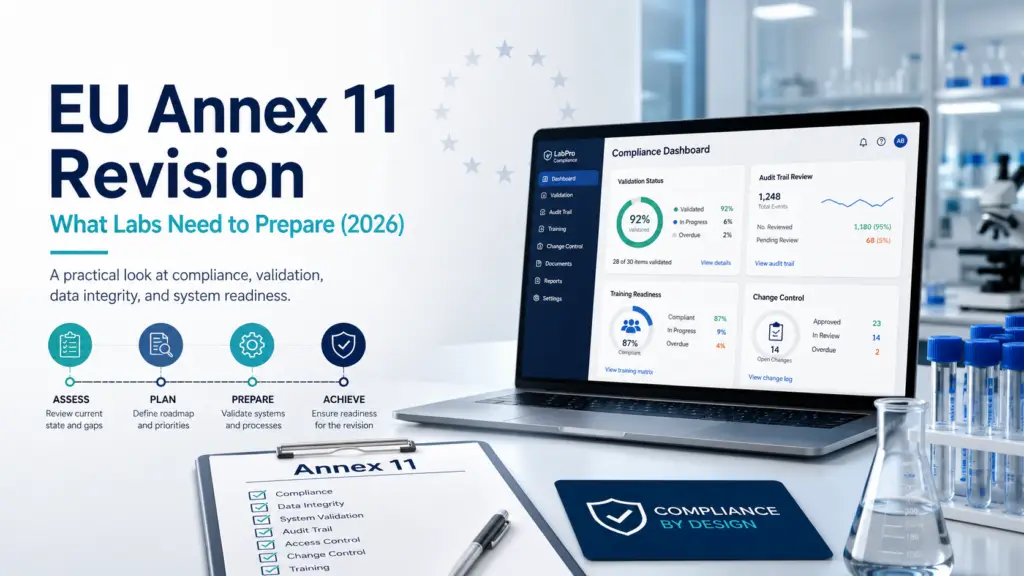
The draft revision published on 7 July 2025 is the most significant rewrite of Annex 11 since 2011 — expanding the guideline from 5 pages to 19, restructured into 17 chapters, and elevating computerised systems from supporting tools to GMP-controlled assets in their own right. For laboratories, four changes matter most: audit trails must now capture data creation, not only changes and deletions; audit trail review moves to a defined risk-based frequency; supplier and service management carries mandatory contract elements; and cybersecurity becomes a core GMP requirement with its own extensive chapter. A companion Annex 22 restricts AI in GMP-critical applications to static, deterministic models — explicitly excluding generative AI and large language models. The final text has not yet been published as of August 2026, and estimates for its arrival diverge. The gap assessment, however, should not wait. Where the revision actually stands Accuracy about status matters here, because a lot of published commentary states timelines with more confidence than the evidence supports. What is certain: On 7 July 2025, the European Commission published draft revisions to three interconnected parts of EudraLex Volume 4 — a comprehensive revision of Annex 11 (Computerised Systems), a brand-new Annex 22 (Artificial Intelligence), and an updated Chapter 4 (Documentation). The revision was drafted jointly with PIC/S. The public consultation closed on 7 October 2025. What is not certain: the publication date of the final text. Multiple sources published through mid-2026 anticipated the final version “mid-2026.” As of early August 2026 it has not appeared. One tracker notes that because the draft was released in July 2025 rather than the December 2024 originally scheduled in the EMA concept paper, implementation is now estimated for Q1 2027 — while also stating plainly that no renewed timetable has been published by EMA. The honest position is therefore: the final text is imminent but undated, and any article asserting a firm effective date is guessing. Since these are drafts, specific provisions may change before adoption — so treat the details below as the direction of travel rather than settled law, and verify against the final text when it lands. Anyone with EU market exposure should check the European Commission’s EudraLex Volume 4 pages directly for current status. That uncertainty is not a reason to wait. The consultation is closed, the direction is clear, and the remediation work most labs will need — audit trail reconfiguration, supplier contract renegotiation, security evidence — takes longer than the notice period will allow. Why the rewrite happened The current Annex 11 took effect on 30 June 2011, when it was itself a response to growing reliance on computerised systems. Fourteen years later, technological innovation has far outpaced those expectations. Cloud services, SaaS deployment models, machine learning, and a threat landscape that barely existed in 2011 all sat outside the guideline’s frame. The result is not a patch but a paradigm shift toward comprehensive digital governance, now explicitly covering all computerised systems including cloud services and AI/ML systems, with enhanced cybersecurity requirements. The draft is roughly four times the length of the version it replaces, organized into 17 chapters plus a glossary, built on eight overarching principles. The scope is broad and worth stating plainly for lab readers: any software touching a GMP, GDP or GLP process falls within it — ERP, LIMS, MES, batch release systems, temperature monitoring platforms. If your LIMS influences a batch outcome, a release decision, or a GMP record, Annex 11 applies to it. The changes that matter most for laboratories 1. Audit trails: creation events now in scope This is the change with the most immediate practical consequence for lab systems. Under the draft, audit trails must capture data creation events, not only changes and deletions. The draft devotes ten subsections to audit trails — a signal of how central they have become. Many LIMS and instrument systems were configured on the older assumption that logging modifications and deletions was sufficient. If yours was, this is a configuration gap that will need identifying, remediating, and revalidating. It is also, in our experience of what labs actually overlook, the single most likely place to find a gap. The draft also formalizes audit trail review frequency on a risk basis rather than leaving it to interpretation — reporting on the draft indicates monthly review for high-risk systems, quarterly for routine ones, and always before a batch release decision that the data supports. Labs that have treated audit trail review as an annual or ad-hoc exercise should expect to build a documented, recurring process. Our guides to ALCOA+ data integrity and 21 CFR Part 11 cover the underlying principles that both frameworks share. 2. Risk management across the full lifecycle Risk management remains the central pillar, but the emphasis shifts from broad guidance to a systemic, continuous approach across the entire system lifecycle. The draft acknowledges that risks are dynamic and requires proactive, documented, continuous assessment: at selection and design, through ongoing monitoring during operation, and in a final review when the system is taken out of use. That last point deserves attention because it is easy to miss — decommissioning is now part of the regulated lifecycle. Labs planning to replace a legacy system should build risk review into that project explicitly; our guide to migrating from one LIMS to another covers the surrounding data and retention obligations. 3. Supplier and service management with mandatory contract terms The draft introduces supplier and service management with nine mandatory contract elements. For laboratories running cloud or SaaS LIMS, this converts a commercial relationship into a documented compliance dependency. Practically, this means existing vendor agreements may need renegotiation, and vendor selection criteria should now include the supplier’s ability to evidence the controls the annex requires. Expect this to be one of the slowest remediation items, because it depends on a third party’s willingness and timeline, not only your own. 4. Cybersecurity as a core GMP requirement For the first time, cybersecurity is treated as a core GMP requirement rather than
How to Migrate from One LIMS to Another (2026): A Practical Guide
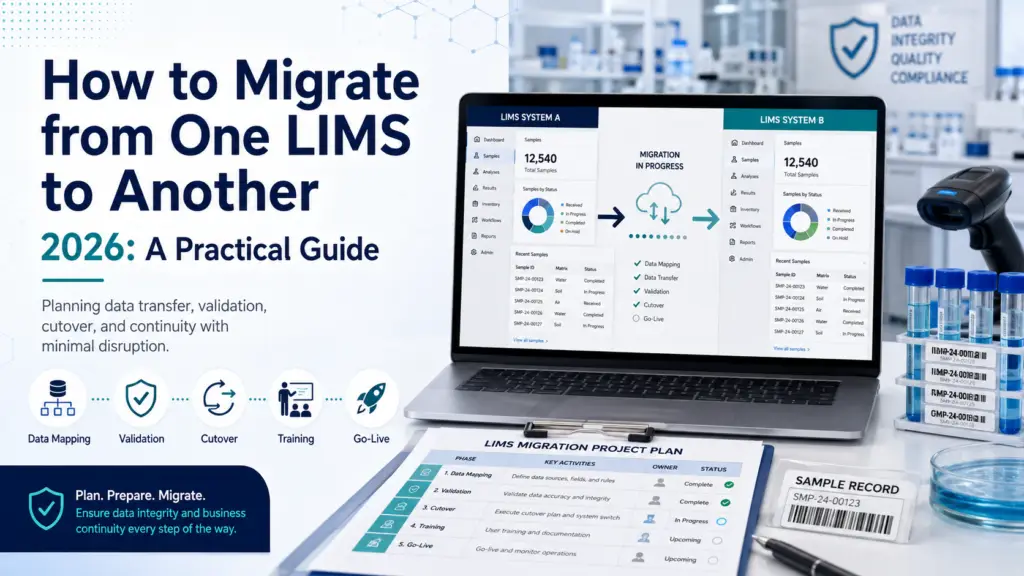
A LIMS migration is not a software swap — it is a data project wearing a software project’s clothing. The technology rarely fails; the migration fails, usually because legacy data was underestimated, the cutover strategy was wrong for the lab’s risk profile, or nobody planned what happens to the old system after go-live. A 2024 Deloitte survey found 63% of genomics labs reporting failed attempts or major disruptions during migration, attributed primarily to poor planning and compliance gaps rather than technical defects. This guide covers the decision, the three cutover strategies and when each applies, the data work that determines success, and the exit costs that nobody quotes you. First: is migration actually the right answer? Before planning a migration, be certain you’re solving the right problem. Labs sometimes replace a system when the real issue is configuration, training, or an unaddressed workflow gap — and they carry that same problem into the new platform at considerable expense. The signals that genuinely justify replacement are structural rather than irritating. Legacy systems built for a previous era were not designed for today’s data volumes, integration requirements, or compliance expectations — and no amount of configuration fixes an architecture that cannot support what you now need. Obsolescence of the underlying operating system or database is a hard forcing function. So is a platform that prevents you from adopting modern capabilities, scaling operations, or maintaining regulatory compliance. Vendor changes, evolving compliance requirements, and the need to centralize data across sites after growth or acquisition are all legitimate drivers. The warning sign that you’re replacing for the wrong reason: if your complaints are about how the system was set up rather than what it fundamentally cannot do, a reconfiguration project will cost a fraction of a migration. Our LIMS implementation timeline and risks guide covers the issues that are frequently mistaken for platform failures. There’s also a strategic opportunity here that’s easy to waste. Replacing a LIMS provides a rare chance to reevaluate and optimize existing workflows — and it’s critical that the new system doesn’t merely replicate existing processes but exploits the potential for efficiency gains. Run a process analysis before configuration to identify bottlenecks worth eliminating rather than migrating. The three cutover strategies — and how to choose Every LIMS migration uses one of three approaches. Choosing correctly for your risk profile is arguably the single most consequential planning decision. Parallel Both the legacy and new systems run simultaneously for a defined period — commonly a minimum of two weeks — with data logged into both, and the goal of producing identical output from each. This is the safest approach: it allows thorough comparison and validation of data and processes, provides time for the new system to be fully validated, and lets users adjust before dependence shifts. The cost is duplicated effort: staff enter everything twice, which is demanding and, for high-throughput labs, sometimes impractical. Choose parallel when the risk of an undetected data or workflow error outweighs the operational burden — regulated labs, clinical operations, and any lab where a wrong result carries consequences beyond inconvenience. Incremental Migration proceeds one dataset or one operational component at a time — by laboratory section, sample type, or workflow module. This minimizes the risk associated with a big bang by breaking the process into manageable stages, and it is the approach most consistently recommended by migration specialists. Where feasible, incremental deployment is combined with parallel runs on each increment to catch issues in real time. The trade-off is a longer overall timeline and a period of split operations that requires careful coordination. Choose incremental for larger or multi-section labs where a single-day cutover across everything would be unmanageable. Big bang Everything switches at once on a defined date. It’s fastest and cheapest in principle, and appropriate for small labs with simple, well-understood data and low regulatory exposure. For anyone else, migration specialists are blunt: avoid the risk-laden big bang method in favor of controlled increments. The failure mode is unforgiving — problems surface after the legacy system is already gone. The data work that determines success Data migration is consistently identified as the phase that runs longest and costs most, and it deserves to be treated as its own workstream with a named owner rather than a task inside the implementation. Start with a data audit. Initiate a comprehensive audit of the legacy system to identify all critical records requiring migration, archival, or secure purging. Not everything should move. Distinguishing what must be live in the new system from what merely needs to be retained and retrievable is the decision that most reduces migration scope, cost, and risk. Assess data suitability, then clean. Confirm the data earmarked for migration is compatible with the new platform and meets quality standards. Mapping legacy data to the new schema often requires cleaning to remove duplicates and correct inconsistencies accumulated over years of use — work best done before migration rather than replicating years of accumulated mess into a fresh system. Expect a translation problem. A recurring technical reality is that each system and instrument vendor speaks a different data “language.” A documented LabWare case illustrates the scale: after nearly three decades on one vendor, an organization migrating to LabWare used PL/SQL programs to consolidate legacy data into a single table, then a custom script exporting to 1,600 CSV files of 5,000 records each. Flexible schemas that allow adding tables or fields to match legacy structures, plus ODBC support for cross-database querying, are what make this tractable. When evaluating platforms, ask specifically about migration tooling and schema flexibility, not just features. Migrate the audit trail, not just the results. Legacy datasets include sample, results, user, and audit trail records, and ETL procedures must verify completeness, accuracy and traceability across all of them. This is where regulated migrations quietly fail: results transfer cleanly, the change history behind them does not, and the migrated data becomes indefensible. Verify statistically, and document the migration itself. After migration, compare a statistically
LIMS for Environmental & Food Testing Labs (2026): Buyer’s Guide
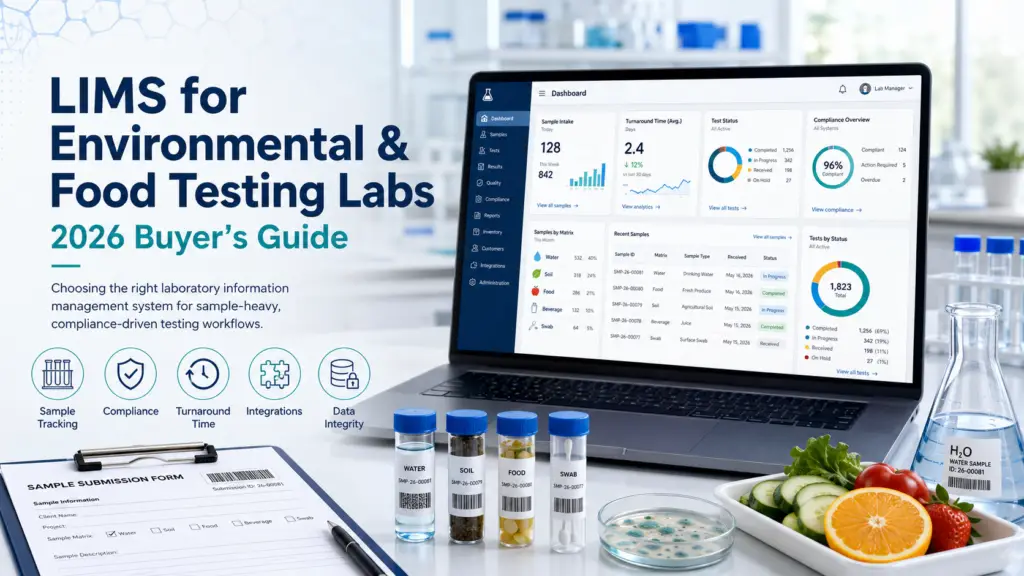
Environmental and food testing labs need capabilities that general-purpose LIMS platforms rarely deliver well: legally defensible chain of custody starting in the field, holding-time enforcement, multi-matrix sample handling, EPA and Standard Methods support, and automated electronic data deliverables in whatever format each client and regulator demands. These are production-style labs running fixed regulatory methods under accreditation pressure — closer to a manufacturing operation than a research bench. This guide covers what actually matters, which vendors specialize here, and why the biggest specialists in this niche are names most buyer guides never mention. Why this segment is genuinely different Environmental and food testing labs occupy an unusual position in the laboratory software market. They are neither research labs nor clinical labs, and the assumptions baked into most LIMS platforms — flexible experiment design, patient-centric records, discovery workflows — fit them poorly. An environmental testing lab runs production-style sample throughput against fixed EPA, ASTM and Standard Methods procedures, and carries an accreditation burden that research labs rarely face. Volume is high, methods are prescribed rather than designed, and the output is a defensible number that will inform a consequential decision: whether a remediation site meets cleanup standards, whether a discharge permit is being met, whether a drinking water source is safe. That last point is what really separates this segment. Environmental laboratory data may end up in regulatory proceedings, permit reviews, or litigation — which means the documentation trail must be legally defensible, not merely accurate. Food testing carries an analogous burden through FSMA, FDA and USDA oversight, plus customer-driven specification testing and lot traceability that can trigger a recall. The practical consequence: when evaluating a LIMS for this segment, weight compliance mechanics and data-deliverable automation far above the feature breadth that dominates general LIMS comparisons. Our LIMS software pillar covers the category broadly; this guide is about what changes when your data has legal weight. The regulatory stack you’re buying into Environmental and food labs face an unusually layered compliance environment, and your LIMS has to serve all of it simultaneously. Accreditation. ISO/IEC 17025 is the backbone — by 2024, over 114,600 laboratories worldwide had been accredited to it by ILAC MRA signatories, making it the global standard for demonstrating technical competence. In the US, environmental labs additionally pursue NELAP accreditation under TNI standards, assessed by recognized accreditation bodies through state programs. Our ISO 17025 guide details what software must support. Methods. EPA standard methods (the 500, 600 and 8000 series), ASTM methods, and state-specific protocols govern how tests are run. Documented, auditable sample handling from receipt through disposal is required under NELAP and EPA method compliance — 40 CFR Part 136 for water, SW-846 for solid waste. Programmatic regulations. Depending on your matrices and clients: RCRA, CERCLA, NPDES, UCMR, the Clean Water Act, and the Safe Drinking Water Act. Food labs layer on FSMA, FDA and USDA requirements, ISO 22000, and frequently 21 CFR Part 11 for electronic records. The critical insight is that these requirements overlap rather than nest, and mapping them clearly before designing quality systems is one of the most common sources of costly audit findings when skipped. Bring that map to your vendor demos. The capabilities that actually matter Chain of custody that begins in the field This is the defining requirement of environmental testing, and the one general-purpose LIMS handle worst. Chain of custody begins the moment a sampler’s gloves touch a collection vessel — before the lab has any involvement at all. If the documentation trail breaks anywhere between site and analytical report, the resulting data may be unusable in regulatory proceedings. The capability to look for is electronic chain of custody (eCOC): a system that accepts custody transfers digitally at login, replacing handwritten forms with timestamped, user-authenticated records. This eliminates the manual transcription step that most commonly breaks the paper trail. When you demo a platform, ask specifically how field custody enters the system — not whether the LIMS “supports chain of custody” once samples are already logged. Holding-time enforcement Holding-time violations are the most frequent cause of sample rejection in environmental labs. A LIMS that triggers countdown timers at collection time and alerts analysts before deadlines are breached converts a recurring, expensive failure into a managed process. This is a small feature with outsized economic impact, and it is a genuine differentiator between specialist and generalist platforms. Multi-matrix sample management Environmental labs handle water, wastewater, soil, air, sediment, hazardous waste and sludge — each with its own preparation steps, analytical parameters and regulatory limits. Food labs face an analogous problem across product types, ingredients and finished goods, each with matrix-specific specification limits. A LIMS that treats “sample type” as a simple dropdown will fight you; one that models matrix-specific methods, detection limits and hold times natively will not. Electronic data deliverables (EDD) This is the capability buyers most often underestimate, and it directly determines turnaround time. Environmental clients and regulators demand data in prescribed formats — EQuIS, state-specific templates, custom client formats — and manual formatting is both slow and error-prone. Automated EDD generation from LIMS data reduces reporting burden and eliminates the formatting errors that delay client and regulator acceptance. Specialist platforms advertise generation across dozens of formats; ask for the specific list against your actual client base. Instrument integration and QA/QC automation Direct capture from ICP-MS, GC-MS, ion chromatography and similar instruments eliminates transcription entirely. On the quality side, look for control chart generation, management of QC samples (duplicates, spikes, blanks), automated calculation of complex results, and automatic flagging of out-of-spec values. For food and beverage QC specifically, lot genealogy and specification management per material, customer or standard are the equivalent requirements. Certificates of analysis A practical test worth borrowing from industry guidance: ask any vendor for a sample COA generated from their actual platform. If they can’t produce one, your COA design is likely to become a lengthy consulting engagement rather than a configuration task. The vendors — including the specialists nobody lists This is a segment where
ELN Pricing Benchmark 2026: What Labs Actually Pay
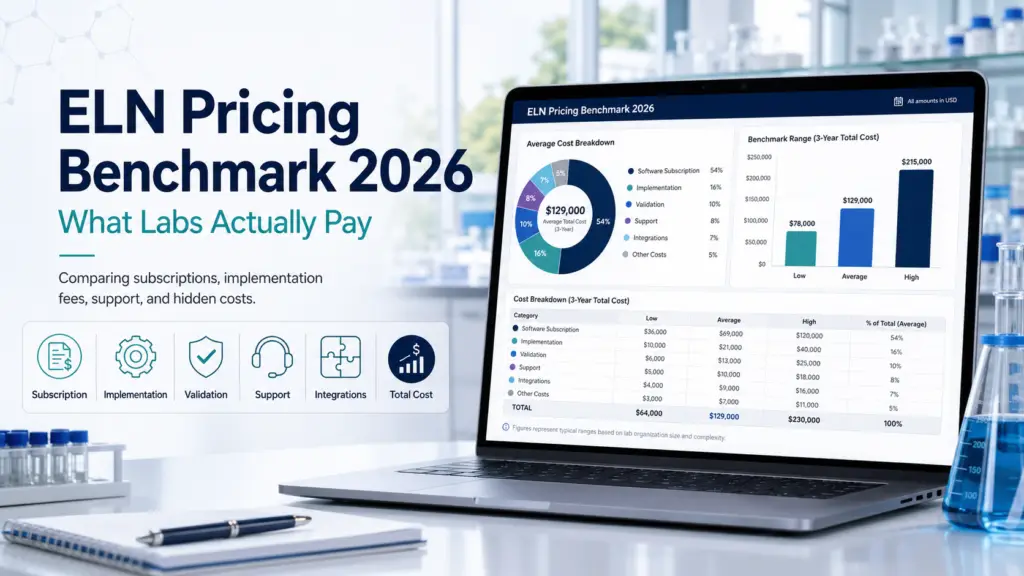
Electronic Lab Notebooks are dramatically cheaper and more transparently priced than LIMS. Entry-level commercial ELN plans start around $12–30 per user per month, mid-market platforms land near $18–56, and open-source options cost nothing to licence. The defining feature of ELN pricing is the academic/commercial split: the same product is frequently free or heavily discounted for universities and several times more expensive for companies — Labfolder is reported at roughly $18 per user monthly for academics versus $56 for commercial teams, and Benchling is free without limits for academia while commercial contracts are reported to start around $15,000 a year. This benchmark documents what is verifiable, flags where sources contradict each other, and says plainly what nobody can confirm. Why ELN pricing is more knowable than LIMS pricing Anyone who has priced a LIMS will find the ELN market a relief. Where enterprise LIMS vendors publish nothing and route every enquiry through a sales process, a meaningful share of ELN vendors publish tiers, offer free plans, or price low enough that individual researchers buy without procurement involvement. Two structural reasons explain this. First, ELNs sell heavily into academia, where budgets are small, purchasing is decentralized, and a postdoc may choose the tool personally — a market that rewards transparent, self-serve pricing. Second, the ELN category has a credible free open-source option in eLabFTW, which anchors the low end and puts pressure on commercial pricing in a way that has no real equivalent in LIMS. The result is that ELN benchmarks can be built on firmer ground. But “firmer” is not “firm,” and this guide applies the same evidence tiers we use in our LIMS pricing benchmark: As with LIMS, be wary of pricing pages that disclose AI-assisted content or describe competitor figures as extrapolated. A modelled number presented as an observed one is worse than no number at all. The academic/commercial split: the defining feature of ELN pricing Before any table, understand the variable that moves ELN cost more than any other: who you are, not what you buy. Multiple ELN vendors operate a two-tier model where identical functionality carries very different prices depending on whether the buyer is academic or commercial. Labfolder is the clearest documented example: academic institutions are reported to pay approximately $18 per user per month while commercial organizations pay around $56 per user per month for the same features — close to a threefold difference. Benchling takes this further, offering a genuinely free, unlimited academic tier — which is why it is ubiquitous in university labs — while commercial pricing is opaque and reported to start around $15,000 per year for a small team, scaling sharply from there. LabArchives is widely deployed through institutional site licences, meaning many academic users pay nothing directly because their university already holds the contract. Two practical consequences follow. If you are academic, check what your institution already licenses before buying anything — you may have free access to a platform you were about to purchase. If you are commercial, discount every headline ELN price you see online: much of it is academic pricing, and your quote will be materially higher. Vendor-level pricing: what is documented The table below covers ELN platforms with reported pricing. Where sources conflict, we show the conflict. Platform Reported price Tier Source & notes eLabFTW Free — open source under AGPLv3; self-hosted. Paid cloud hosting available from the maintainers A Licence is verifiable fact. Self-hosting shifts cost to infrastructure and staff time, not licence. SciNote Free tier; premium reported from $12/user/month. Also reported at $50–300 per user annually and ~$250/user/year B/C Sources broadly consistent ($12/mo ≈ $144/yr). SciNote itself directs pricing enquiries to sales rather than publishing a full rate card. Labfolder Free plan (3 GB, 3-user limit); premium from $18/user/month academic, ~$56/user/month commercial B/C The $18 entry figure appears in two independent sources; the academic/commercial split is reported by a competitor (Scispot). LabArchives Reported $15–25/user/month; widely available free to researchers via institutional site licences B/C Institutional licensing is the dominant academic access route. Benchling Free, unlimited academic tier; commercial reported to start around $15,000/year for a small team A (academic) / C (commercial) Benchling publishes no commercial list price. See conflict note below. Labguru (Cenevo) Reported around $900 per user per year in a community comparison table C Undated third-party table maintained by a competing vendor. Treat as orientation only. RSpace Reported around $200 per user per year plus a $1,500 installation fee C Same undated community source. LabCollector Reported around $460 per user per year C Same source. The Benchling conflict deserves attention. One community comparison table lists Benchling at $2,400 per user per year (roughly $200/month), while an independent reviewer reports a commercial minimum around $15,000 per year for a five-person lab. These are not reconcilable as like-for-like. The likeliest explanation is that the lower figure reflects an older or nominal per-seat rate, while the higher reflects a real-world minimum contract value — the floor a commercial buyer actually encounters regardless of headcount. For budgeting, assume the minimum-contract reality rather than the per-seat arithmetic, and confirm directly. Our Benchling overview covers the platform in depth. A note on the community table. Several figures above (Labguru, RSpace, LabCollector, and the disputed Benchling number) come from a GitHub comparison maintained by Labii, itself an ELN vendor. It is a genuinely useful compilation and we cite it transparently, but it is undated, unaudited, and authored by a market participant. That is precisely why it sits in Tier C. Where ELN pricing sits relative to LIMS The contrast is stark and worth stating, because labs frequently conflate the two categories when budgeting. A mid-market LIMS costs roughly $25,000–50,000 per year, with cloud subscriptions commonly $40–300 per user per month and enterprise contracts above $50,000. A mid-market ELN costs a small fraction of that: commercial per-user pricing clusters in the $12–56 per user per month band, with free tiers genuinely usable for small or academic teams. That gap reflects a real difference in scope. A LIMS manages