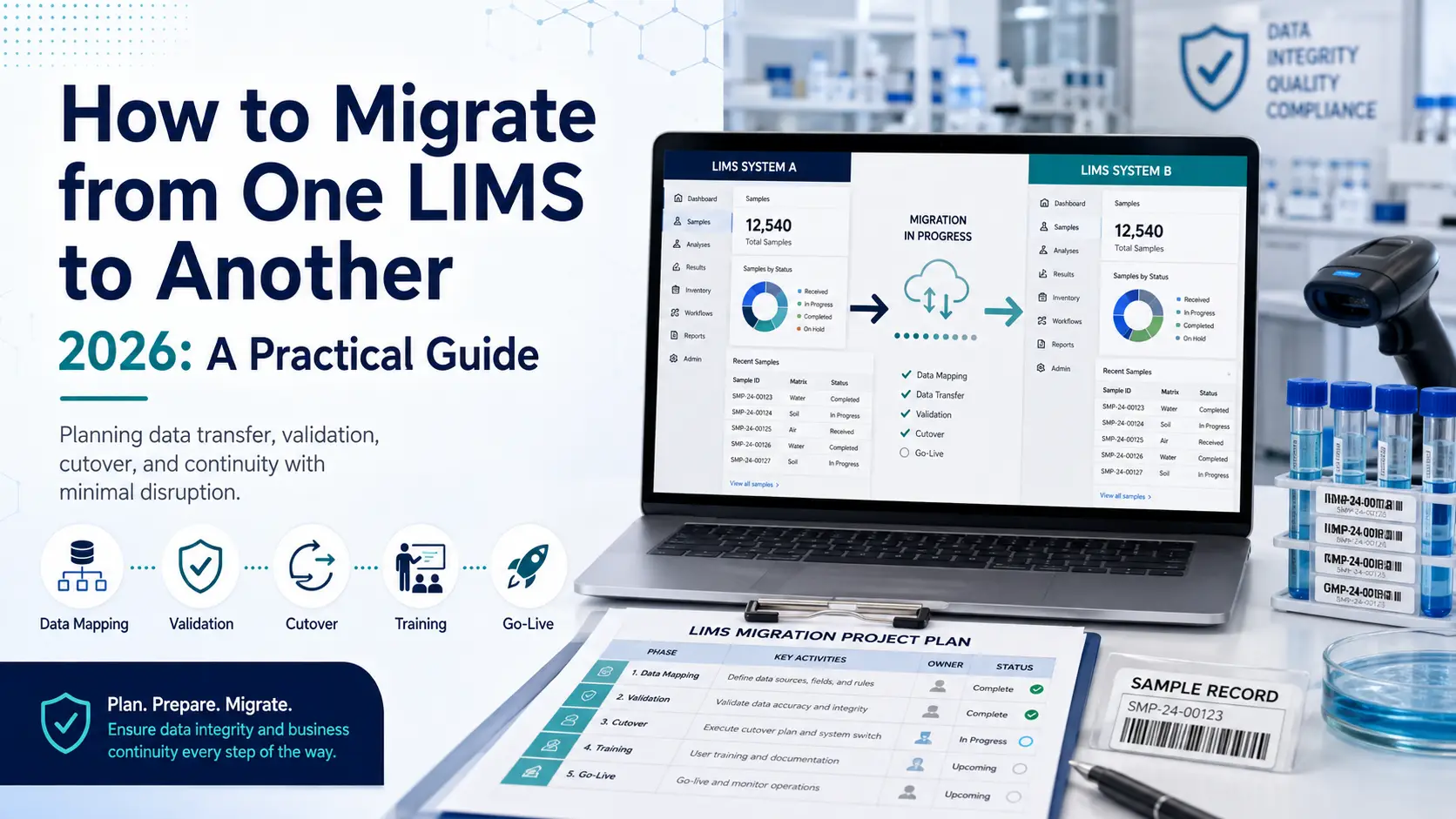
A LIMS migration is not a software swap — it is a data project wearing a software project’s clothing. The technology rarely fails; the migration fails, usually because legacy data was underestimated, the cutover strategy was wrong for the lab’s risk profile, or nobody planned what happens to the old system after go-live. A 2024 Deloitte survey found 63% of genomics labs reporting failed attempts or major disruptions during migration, attributed primarily to poor planning and compliance gaps rather than technical defects. This guide covers the decision, the three cutover strategies and when each applies, the data work that determines success, and the exit costs that nobody quotes you.
First: is migration actually the right answer?
Before planning a migration, be certain you’re solving the right problem. Labs sometimes replace a system when the real issue is configuration, training, or an unaddressed workflow gap — and they carry that same problem into the new platform at considerable expense.
The signals that genuinely justify replacement are structural rather than irritating. Legacy systems built for a previous era were not designed for today’s data volumes, integration requirements, or compliance expectations — and no amount of configuration fixes an architecture that cannot support what you now need. Obsolescence of the underlying operating system or database is a hard forcing function. So is a platform that prevents you from adopting modern capabilities, scaling operations, or maintaining regulatory compliance. Vendor changes, evolving compliance requirements, and the need to centralize data across sites after growth or acquisition are all legitimate drivers.
The warning sign that you’re replacing for the wrong reason: if your complaints are about how the system was set up rather than what it fundamentally cannot do, a reconfiguration project will cost a fraction of a migration. Our LIMS implementation timeline and risks guide covers the issues that are frequently mistaken for platform failures.
There’s also a strategic opportunity here that’s easy to waste. Replacing a LIMS provides a rare chance to reevaluate and optimize existing workflows — and it’s critical that the new system doesn’t merely replicate existing processes but exploits the potential for efficiency gains. Run a process analysis before configuration to identify bottlenecks worth eliminating rather than migrating.
The three cutover strategies — and how to choose
Every LIMS migration uses one of three approaches. Choosing correctly for your risk profile is arguably the single most consequential planning decision.
Parallel
Both the legacy and new systems run simultaneously for a defined period — commonly a minimum of two weeks — with data logged into both, and the goal of producing identical output from each. This is the safest approach: it allows thorough comparison and validation of data and processes, provides time for the new system to be fully validated, and lets users adjust before dependence shifts.
The cost is duplicated effort: staff enter everything twice, which is demanding and, for high-throughput labs, sometimes impractical. Choose parallel when the risk of an undetected data or workflow error outweighs the operational burden — regulated labs, clinical operations, and any lab where a wrong result carries consequences beyond inconvenience.
Incremental
Migration proceeds one dataset or one operational component at a time — by laboratory section, sample type, or workflow module. This minimizes the risk associated with a big bang by breaking the process into manageable stages, and it is the approach most consistently recommended by migration specialists. Where feasible, incremental deployment is combined with parallel runs on each increment to catch issues in real time.
The trade-off is a longer overall timeline and a period of split operations that requires careful coordination. Choose incremental for larger or multi-section labs where a single-day cutover across everything would be unmanageable.
Big bang
Everything switches at once on a defined date. It’s fastest and cheapest in principle, and appropriate for small labs with simple, well-understood data and low regulatory exposure. For anyone else, migration specialists are blunt: avoid the risk-laden big bang method in favor of controlled increments. The failure mode is unforgiving — problems surface after the legacy system is already gone.
The data work that determines success
Data migration is consistently identified as the phase that runs longest and costs most, and it deserves to be treated as its own workstream with a named owner rather than a task inside the implementation.
Start with a data audit. Initiate a comprehensive audit of the legacy system to identify all critical records requiring migration, archival, or secure purging. Not everything should move. Distinguishing what must be live in the new system from what merely needs to be retained and retrievable is the decision that most reduces migration scope, cost, and risk.
Assess data suitability, then clean. Confirm the data earmarked for migration is compatible with the new platform and meets quality standards. Mapping legacy data to the new schema often requires cleaning to remove duplicates and correct inconsistencies accumulated over years of use — work best done before migration rather than replicating years of accumulated mess into a fresh system.
Expect a translation problem. A recurring technical reality is that each system and instrument vendor speaks a different data “language.” A documented LabWare case illustrates the scale: after nearly three decades on one vendor, an organization migrating to LabWare used PL/SQL programs to consolidate legacy data into a single table, then a custom script exporting to 1,600 CSV files of 5,000 records each. Flexible schemas that allow adding tables or fields to match legacy structures, plus ODBC support for cross-database querying, are what make this tractable. When evaluating platforms, ask specifically about migration tooling and schema flexibility, not just features.
Migrate the audit trail, not just the results. Legacy datasets include sample, results, user, and audit trail records, and ETL procedures must verify completeness, accuracy and traceability across all of them. This is where regulated migrations quietly fail: results transfer cleanly, the change history behind them does not, and the migrated data becomes indefensible.
Verify statistically, and document the migration itself. After migration, compare a statistically significant sample of migrated records against source data to confirm nothing was lost or altered. Critically, the migration process must itself be documented — the migration is a regulated change, and its own record is part of your compliance posture. Our LIMS validation guide covers the surrounding requirements.
Pilot before you commit. Engaging data migration specialists and investing in pilot migrations are standard risk-mitigation strategies. A pilot on a representative data slice surfaces the translation problems while they’re still cheap to fix.
The compliance trap nobody warns you about
One migration-specific risk deserves its own section because it produces inspection findings and is almost never mentioned in vendor materials.
The period immediately following a LIMS upgrade or migration is a common inspection failure point. System updates can reset audit trail configuration to default settings, inadvertently disabling capture for specific record categories. A lab can complete a technically successful migration and unknowingly stop logging part of its change history.
The mitigation is procedural and simple: include audit trail configuration verification as a mandatory step in change control for any system update or migration. Confirm which record categories are captured, verify the system clock is synchronized to a reliable time source and that clock changes themselves generate audit entries, and check that retention configuration preserves audit data for the full required period — including after migration or decommissioning.
What to do with the old system — the cost nobody quotes
Here is the part of migration planning most labs discover too late: you usually cannot simply switch the old LIMS off.
In regulated environments, retention obligations commonly run 15 years or more, and the regulations are specific about what must remain available. 21 CFR Part 11 §11.10(b) requires the ability to generate accurate and complete copies of records in both human-readable and electronic form, and EU GMP Annex 11 §7 requires that data remain accessible, readable and accurate throughout the retention period. Crucially, neither regulation specifies the originating system — nothing requires the legacy platform to stay operational, only that the records remain producible.
That distinction has real money attached. Keeping a legacy environment running purely for data access is typically the most expensive option: one documented example puts the annual cost of a single legacy Watson LIMS environment at roughly $150,000–160,000 per site, escalating as database support costs rise and end-of-life events approach. The alternative — a one-time compliant archiving project — is described as paying for itself within the second year.
A compliant archive, rather than a live legacy system, generally means: PDF/A documents for human-readable long-term access without proprietary software; CSV/XML structured datasets covering every result, calibration, sample and audit trail entry, readable by any future platform; and a cryptographic integrity manifest (per-file hashes plus a manifest hash) proving nothing changed. The governing criterion is completeness — the archive must contain what the legacy system held, without filtering, aggregation or summarization.
Two practical cautions. First, system-level data held outside individual studies or projects — reference standard and QC batch records, for instance — may not be captured by a study- or project-oriented archive, and identifying it is a standard pre-decommissioning task. Second, negotiate your exit while you still have leverage: contract for structured exports, object locks and vendor assistance, and dry-run those exports annually rather than discovering their limits during a migration.
Sequencing a migration that works
Pulling it together, a well-run LIMS migration follows this order:
Build the team first. A dedicated project team led by an experienced project manager is critical to coordinating and monitoring the work, and stakeholders should be involved early rather than consulted after decisions are made.
Map requirements and optimize processes before configuring anything, using the replacement as the opportunity to remove bottlenecks rather than port them.
Audit and classify legacy data into migrate / archive / purge, then clean and map what’s moving.
Select your cutover strategy deliberately against your risk profile — parallel for high-consequence environments, incremental for scale, big bang only for small and simple.
Pilot the migration on representative data, then execute with reconciliation reports comparing source and target.
Verify audit trail configuration as a change-control step immediately post-migration.
Plan early-life support explicitly — a help desk, on-site informatics support, and a structured escalation path. Early-life support stabilizes the system, captures user feedback, and enables rapid remediation of newly surfaced issues.
Decommission or archive the legacy system on a documented plan, having already confirmed your archive satisfies retention requirements.
Change management runs across all of it. Changes in staff working methods must be communicated transparently and supported by precise training, because acceptance determines whether the new system is used as designed or worked around. For realistic scheduling, see our LIMS implementation timeline guide.
The honest bottom line
Migration failure statistics look alarming until you read the causes: poor planning, compliance gaps, and lack of architectural foresight — not defective software. That’s genuinely good news, because it means the outcome is within your control.
The labs that migrate well do four things the ones that struggle skip. They treat legacy data as a project rather than a task. They choose a cutover strategy matched to their actual risk tolerance instead of their preferred timeline. They verify that audit trails survived the transition. And they plan the legacy system’s afterlife — archive or decommission — before go-live rather than discovering a $150,000 annual bill for a system nobody uses.
Do those four things and a LIMS migration becomes what it should be: a chance to shed years of accumulated workaround and start clean, with your history intact and defensible.
Where to go next
If you’re still selecting the destination platform, our how to choose a LIMS checklist structures the evaluation, and our LIMS pricing benchmark helps frame budget. For the surrounding project, see our implementation timeline and risks guide. Regulated labs should review our 21 CFR Part 11 explainer and validation guide before planning the data work.
This guide is updated as practices and regulations evolve. Retention obligations, archival requirements, and vendor migration capabilities should always be confirmed against your own regulatory context and directly with vendors. Some cited sources are vendors or service providers in the migration market; this guide flags that where relevant. LabSoftwareGuide is an independent editorial resource.
Sources
- Wiley Analytical Science — Successful LIMS replacement strategies: https://analyticalscience.wiley.com/content/article-do/successful-lims-replacement-strategies
- Astrix — Decommissioning and Migration of LIMS: A Structured Approach: https://www.astrixinc.com/blog/decommissioning-and-migration-of-lims-a-structured-approach/
- Astrix — LIMS Data Migration: From Planning to Post-Migration Evaluation: https://www.astrixinc.com/blog/lims-data-migration-how-to-ace-the-journey-from-planning-to-post-migration-evaluation/
- Confience — Choosing the Right LIMS Data Migration Strategy for Your Lab (parallel/incremental/big bang): https://www.confience.io/blog/choosing-the-right-lims-migration-strategy-for-your-lab
- CloudLIMS — Ensure Successful LIMS Data Migration with These 3 Steps: https://cloudlims.com/ensure-successful-lims-data-migration-with-these-3-steps/
- LabWare — How LabWare LIMS Simplifies Legacy Data Migration (documented migration case): https://www.labware.com/blog/legacy-data-migration
- Third Wave Analytics — 6 Signs It’s Time to Replace Your Legacy LIMS: https://thirdwaveanalytics.com/blog/replace-your-legacy-lims/
- Lab Manager — LIMS Audit Trails: Automating Compliance Documentation for Regulatory Inspections: https://www.labmanager.com/lims-audit-trails-automating-compliance-documentation-for-regulatory-inspections-35447
- up to data — Watson LIMS Decommissioning Post-Merger Guide (legacy environment costs, retention): https://uptodata.com/blog/watson-lims-decommissioning-post-merger/
- up to data — Watson LIMS Long-Term Archiving Compliance (Part 11 §11.10(b), Annex 11 §7): https://uptodata.com/blog/watson-lims-long-term-archiving-compliance/
- SG Systems Global — Data Retention & Archival: Predicate-Rule Readiness: https://sgsystemsglobal.com/glossary/data-retention-archival/
- NonStop — LIMS Modernization 2026 (Deloitte survey data): https://nonstopio.com/blogs/lims-modernization-2026-a-complete-step-by-step-guide-for-genomics-clinical-labs