
How to Migrate from One LIMS to Another (2026): A Practical Guide
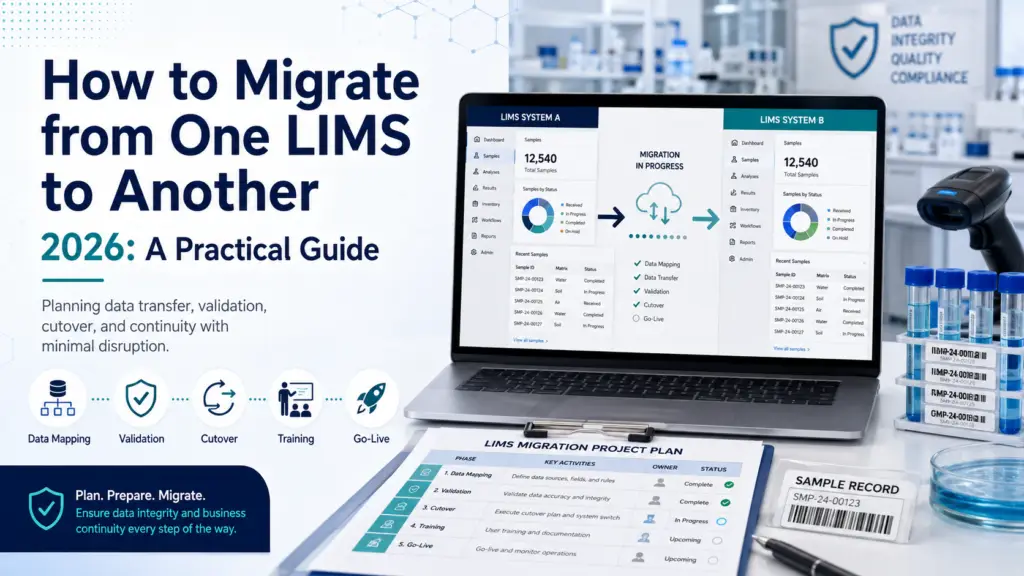
A LIMS migration is not a software swap — it is a data project wearing a software project’s clothing. The technology rarely fails; the migration fails, usually because legacy data was underestimated, the cutover strategy was wrong for the lab’s risk profile, or nobody planned what happens to the old system after go-live. A 2024 Deloitte survey found 63% of genomics labs reporting failed attempts or major disruptions during migration, attributed primarily to poor planning and compliance gaps rather than technical defects. This guide covers the decision, the three cutover strategies and when each applies, the data work that determines success, and the exit costs that nobody quotes you. First: is migration actually the right answer? Before planning a migration, be certain you’re solving the right problem. Labs sometimes replace a system when the real issue is configuration, training, or an unaddressed workflow gap — and they carry that same problem into the new platform at considerable expense. The signals that genuinely justify replacement are structural rather than irritating. Legacy systems built for a previous era were not designed for today’s data volumes, integration requirements, or compliance expectations — and no amount of configuration fixes an architecture that cannot support what you now need. Obsolescence of the underlying operating system or database is a hard forcing function. So is a platform that prevents you from adopting modern capabilities, scaling operations, or maintaining regulatory compliance. Vendor changes, evolving compliance requirements, and the need to centralize data across sites after growth or acquisition are all legitimate drivers. The warning sign that you’re replacing for the wrong reason: if your complaints are about how the system was set up rather than what it fundamentally cannot do, a reconfiguration project will cost a fraction of a migration. Our LIMS implementation timeline and risks guide covers the issues that are frequently mistaken for platform failures. There’s also a strategic opportunity here that’s easy to waste. Replacing a LIMS provides a rare chance to reevaluate and optimize existing workflows — and it’s critical that the new system doesn’t merely replicate existing processes but exploits the potential for efficiency gains. Run a process analysis before configuration to identify bottlenecks worth eliminating rather than migrating. The three cutover strategies — and how to choose Every LIMS migration uses one of three approaches. Choosing correctly for your risk profile is arguably the single most consequential planning decision. Parallel Both the legacy and new systems run simultaneously for a defined period — commonly a minimum of two weeks — with data logged into both, and the goal of producing identical output from each. This is the safest approach: it allows thorough comparison and validation of data and processes, provides time for the new system to be fully validated, and lets users adjust before dependence shifts. The cost is duplicated effort: staff enter everything twice, which is demanding and, for high-throughput labs, sometimes impractical. Choose parallel when the risk of an undetected data or workflow error outweighs the operational burden — regulated labs, clinical operations, and any lab where a wrong result carries consequences beyond inconvenience. Incremental Migration proceeds one dataset or one operational component at a time — by laboratory section, sample type, or workflow module. This minimizes the risk associated with a big bang by breaking the process into manageable stages, and it is the approach most consistently recommended by migration specialists. Where feasible, incremental deployment is combined with parallel runs on each increment to catch issues in real time. The trade-off is a longer overall timeline and a period of split operations that requires careful coordination. Choose incremental for larger or multi-section labs where a single-day cutover across everything would be unmanageable. Big bang Everything switches at once on a defined date. It’s fastest and cheapest in principle, and appropriate for small labs with simple, well-understood data and low regulatory exposure. For anyone else, migration specialists are blunt: avoid the risk-laden big bang method in favor of controlled increments. The failure mode is unforgiving — problems surface after the legacy system is already gone. The data work that determines success Data migration is consistently identified as the phase that runs longest and costs most, and it deserves to be treated as its own workstream with a named owner rather than a task inside the implementation. Start with a data audit. Initiate a comprehensive audit of the legacy system to identify all critical records requiring migration, archival, or secure purging. Not everything should move. Distinguishing what must be live in the new system from what merely needs to be retained and retrievable is the decision that most reduces migration scope, cost, and risk. Assess data suitability, then clean. Confirm the data earmarked for migration is compatible with the new platform and meets quality standards. Mapping legacy data to the new schema often requires cleaning to remove duplicates and correct inconsistencies accumulated over years of use — work best done before migration rather than replicating years of accumulated mess into a fresh system. Expect a translation problem. A recurring technical reality is that each system and instrument vendor speaks a different data “language.” A documented LabWare case illustrates the scale: after nearly three decades on one vendor, an organization migrating to LabWare used PL/SQL programs to consolidate legacy data into a single table, then a custom script exporting to 1,600 CSV files of 5,000 records each. Flexible schemas that allow adding tables or fields to match legacy structures, plus ODBC support for cross-database querying, are what make this tractable. When evaluating platforms, ask specifically about migration tooling and schema flexibility, not just features. Migrate the audit trail, not just the results. Legacy datasets include sample, results, user, and audit trail records, and ETL procedures must verify completeness, accuracy and traceability across all of them. This is where regulated migrations quietly fail: results transfer cleanly, the change history behind them does not, and the migrated data becomes indefensible. Verify statistically, and document the migration itself. After migration, compare a statistically
LIMS for Environmental & Food Testing Labs (2026): Buyer’s Guide
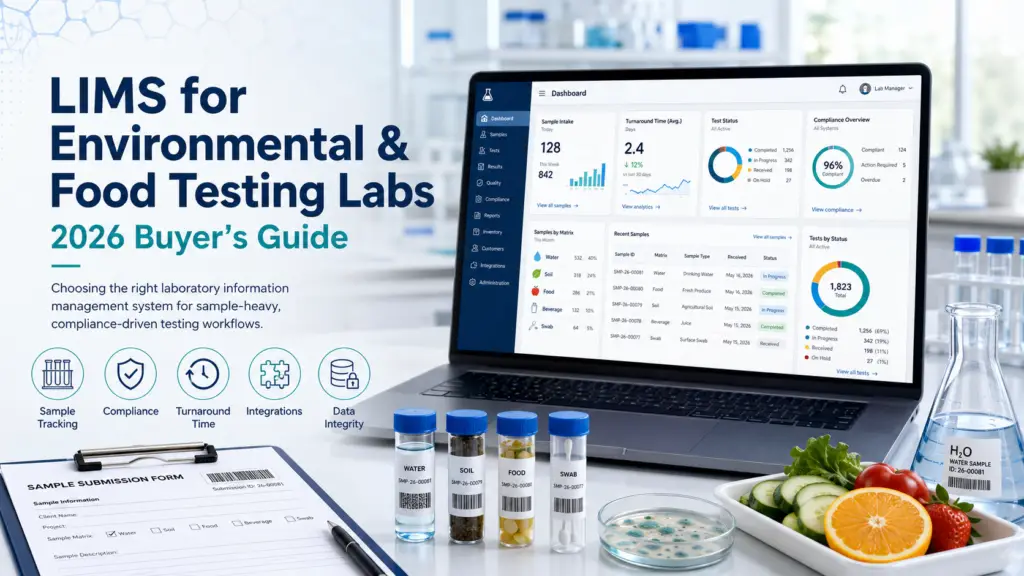
Environmental and food testing labs need capabilities that general-purpose LIMS platforms rarely deliver well: legally defensible chain of custody starting in the field, holding-time enforcement, multi-matrix sample handling, EPA and Standard Methods support, and automated electronic data deliverables in whatever format each client and regulator demands. These are production-style labs running fixed regulatory methods under accreditation pressure — closer to a manufacturing operation than a research bench. This guide covers what actually matters, which vendors specialize here, and why the biggest specialists in this niche are names most buyer guides never mention. Why this segment is genuinely different Environmental and food testing labs occupy an unusual position in the laboratory software market. They are neither research labs nor clinical labs, and the assumptions baked into most LIMS platforms — flexible experiment design, patient-centric records, discovery workflows — fit them poorly. An environmental testing lab runs production-style sample throughput against fixed EPA, ASTM and Standard Methods procedures, and carries an accreditation burden that research labs rarely face. Volume is high, methods are prescribed rather than designed, and the output is a defensible number that will inform a consequential decision: whether a remediation site meets cleanup standards, whether a discharge permit is being met, whether a drinking water source is safe. That last point is what really separates this segment. Environmental laboratory data may end up in regulatory proceedings, permit reviews, or litigation — which means the documentation trail must be legally defensible, not merely accurate. Food testing carries an analogous burden through FSMA, FDA and USDA oversight, plus customer-driven specification testing and lot traceability that can trigger a recall. The practical consequence: when evaluating a LIMS for this segment, weight compliance mechanics and data-deliverable automation far above the feature breadth that dominates general LIMS comparisons. Our LIMS software pillar covers the category broadly; this guide is about what changes when your data has legal weight. The regulatory stack you’re buying into Environmental and food labs face an unusually layered compliance environment, and your LIMS has to serve all of it simultaneously. Accreditation. ISO/IEC 17025 is the backbone — by 2024, over 114,600 laboratories worldwide had been accredited to it by ILAC MRA signatories, making it the global standard for demonstrating technical competence. In the US, environmental labs additionally pursue NELAP accreditation under TNI standards, assessed by recognized accreditation bodies through state programs. Our ISO 17025 guide details what software must support. Methods. EPA standard methods (the 500, 600 and 8000 series), ASTM methods, and state-specific protocols govern how tests are run. Documented, auditable sample handling from receipt through disposal is required under NELAP and EPA method compliance — 40 CFR Part 136 for water, SW-846 for solid waste. Programmatic regulations. Depending on your matrices and clients: RCRA, CERCLA, NPDES, UCMR, the Clean Water Act, and the Safe Drinking Water Act. Food labs layer on FSMA, FDA and USDA requirements, ISO 22000, and frequently 21 CFR Part 11 for electronic records. The critical insight is that these requirements overlap rather than nest, and mapping them clearly before designing quality systems is one of the most common sources of costly audit findings when skipped. Bring that map to your vendor demos. The capabilities that actually matter Chain of custody that begins in the field This is the defining requirement of environmental testing, and the one general-purpose LIMS handle worst. Chain of custody begins the moment a sampler’s gloves touch a collection vessel — before the lab has any involvement at all. If the documentation trail breaks anywhere between site and analytical report, the resulting data may be unusable in regulatory proceedings. The capability to look for is electronic chain of custody (eCOC): a system that accepts custody transfers digitally at login, replacing handwritten forms with timestamped, user-authenticated records. This eliminates the manual transcription step that most commonly breaks the paper trail. When you demo a platform, ask specifically how field custody enters the system — not whether the LIMS “supports chain of custody” once samples are already logged. Holding-time enforcement Holding-time violations are the most frequent cause of sample rejection in environmental labs. A LIMS that triggers countdown timers at collection time and alerts analysts before deadlines are breached converts a recurring, expensive failure into a managed process. This is a small feature with outsized economic impact, and it is a genuine differentiator between specialist and generalist platforms. Multi-matrix sample management Environmental labs handle water, wastewater, soil, air, sediment, hazardous waste and sludge — each with its own preparation steps, analytical parameters and regulatory limits. Food labs face an analogous problem across product types, ingredients and finished goods, each with matrix-specific specification limits. A LIMS that treats “sample type” as a simple dropdown will fight you; one that models matrix-specific methods, detection limits and hold times natively will not. Electronic data deliverables (EDD) This is the capability buyers most often underestimate, and it directly determines turnaround time. Environmental clients and regulators demand data in prescribed formats — EQuIS, state-specific templates, custom client formats — and manual formatting is both slow and error-prone. Automated EDD generation from LIMS data reduces reporting burden and eliminates the formatting errors that delay client and regulator acceptance. Specialist platforms advertise generation across dozens of formats; ask for the specific list against your actual client base. Instrument integration and QA/QC automation Direct capture from ICP-MS, GC-MS, ion chromatography and similar instruments eliminates transcription entirely. On the quality side, look for control chart generation, management of QC samples (duplicates, spikes, blanks), automated calculation of complex results, and automatic flagging of out-of-spec values. For food and beverage QC specifically, lot genealogy and specification management per material, customer or standard are the equivalent requirements. Certificates of analysis A practical test worth borrowing from industry guidance: ask any vendor for a sample COA generated from their actual platform. If they can’t produce one, your COA design is likely to become a lengthy consulting engagement rather than a configuration task. The vendors — including the specialists nobody lists This is a segment where
ELN Pricing Benchmark 2026: What Labs Actually Pay
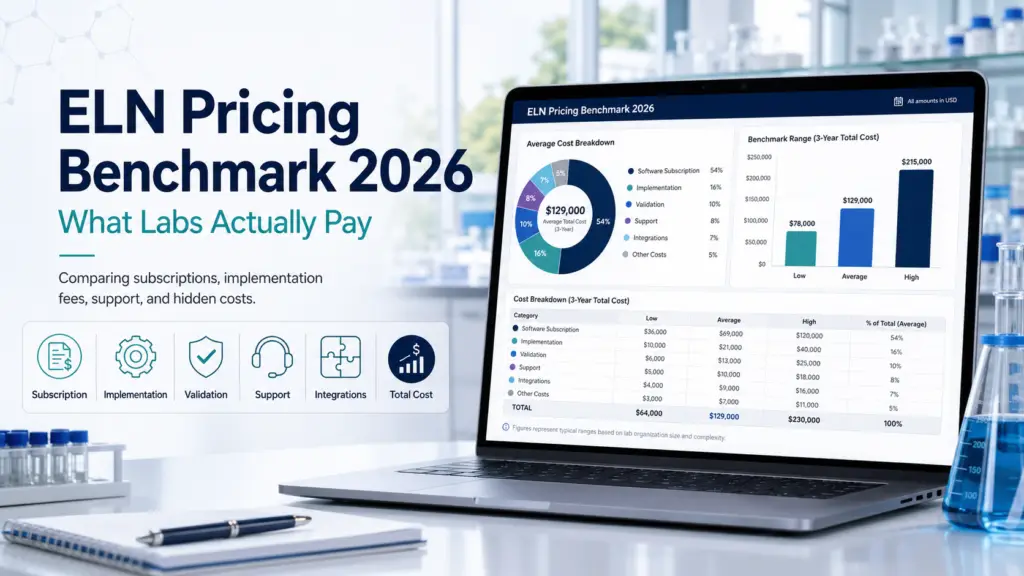
Electronic Lab Notebooks are dramatically cheaper and more transparently priced than LIMS. Entry-level commercial ELN plans start around $12–30 per user per month, mid-market platforms land near $18–56, and open-source options cost nothing to licence. The defining feature of ELN pricing is the academic/commercial split: the same product is frequently free or heavily discounted for universities and several times more expensive for companies — Labfolder is reported at roughly $18 per user monthly for academics versus $56 for commercial teams, and Benchling is free without limits for academia while commercial contracts are reported to start around $15,000 a year. This benchmark documents what is verifiable, flags where sources contradict each other, and says plainly what nobody can confirm. Why ELN pricing is more knowable than LIMS pricing Anyone who has priced a LIMS will find the ELN market a relief. Where enterprise LIMS vendors publish nothing and route every enquiry through a sales process, a meaningful share of ELN vendors publish tiers, offer free plans, or price low enough that individual researchers buy without procurement involvement. Two structural reasons explain this. First, ELNs sell heavily into academia, where budgets are small, purchasing is decentralized, and a postdoc may choose the tool personally — a market that rewards transparent, self-serve pricing. Second, the ELN category has a credible free open-source option in eLabFTW, which anchors the low end and puts pressure on commercial pricing in a way that has no real equivalent in LIMS. The result is that ELN benchmarks can be built on firmer ground. But “firmer” is not “firm,” and this guide applies the same evidence tiers we use in our LIMS pricing benchmark: As with LIMS, be wary of pricing pages that disclose AI-assisted content or describe competitor figures as extrapolated. A modelled number presented as an observed one is worse than no number at all. The academic/commercial split: the defining feature of ELN pricing Before any table, understand the variable that moves ELN cost more than any other: who you are, not what you buy. Multiple ELN vendors operate a two-tier model where identical functionality carries very different prices depending on whether the buyer is academic or commercial. Labfolder is the clearest documented example: academic institutions are reported to pay approximately $18 per user per month while commercial organizations pay around $56 per user per month for the same features — close to a threefold difference. Benchling takes this further, offering a genuinely free, unlimited academic tier — which is why it is ubiquitous in university labs — while commercial pricing is opaque and reported to start around $15,000 per year for a small team, scaling sharply from there. LabArchives is widely deployed through institutional site licences, meaning many academic users pay nothing directly because their university already holds the contract. Two practical consequences follow. If you are academic, check what your institution already licenses before buying anything — you may have free access to a platform you were about to purchase. If you are commercial, discount every headline ELN price you see online: much of it is academic pricing, and your quote will be materially higher. Vendor-level pricing: what is documented The table below covers ELN platforms with reported pricing. Where sources conflict, we show the conflict. Platform Reported price Tier Source & notes eLabFTW Free — open source under AGPLv3; self-hosted. Paid cloud hosting available from the maintainers A Licence is verifiable fact. Self-hosting shifts cost to infrastructure and staff time, not licence. SciNote Free tier; premium reported from $12/user/month. Also reported at $50–300 per user annually and ~$250/user/year B/C Sources broadly consistent ($12/mo ≈ $144/yr). SciNote itself directs pricing enquiries to sales rather than publishing a full rate card. Labfolder Free plan (3 GB, 3-user limit); premium from $18/user/month academic, ~$56/user/month commercial B/C The $18 entry figure appears in two independent sources; the academic/commercial split is reported by a competitor (Scispot). LabArchives Reported $15–25/user/month; widely available free to researchers via institutional site licences B/C Institutional licensing is the dominant academic access route. Benchling Free, unlimited academic tier; commercial reported to start around $15,000/year for a small team A (academic) / C (commercial) Benchling publishes no commercial list price. See conflict note below. Labguru (Cenevo) Reported around $900 per user per year in a community comparison table C Undated third-party table maintained by a competing vendor. Treat as orientation only. RSpace Reported around $200 per user per year plus a $1,500 installation fee C Same undated community source. LabCollector Reported around $460 per user per year C Same source. The Benchling conflict deserves attention. One community comparison table lists Benchling at $2,400 per user per year (roughly $200/month), while an independent reviewer reports a commercial minimum around $15,000 per year for a five-person lab. These are not reconcilable as like-for-like. The likeliest explanation is that the lower figure reflects an older or nominal per-seat rate, while the higher reflects a real-world minimum contract value — the floor a commercial buyer actually encounters regardless of headcount. For budgeting, assume the minimum-contract reality rather than the per-seat arithmetic, and confirm directly. Our Benchling overview covers the platform in depth. A note on the community table. Several figures above (Labguru, RSpace, LabCollector, and the disputed Benchling number) come from a GitHub comparison maintained by Labii, itself an ELN vendor. It is a genuinely useful compilation and we cite it transparently, but it is undated, unaudited, and authored by a market participant. That is precisely why it sits in Tier C. Where ELN pricing sits relative to LIMS The contrast is stark and worth stating, because labs frequently conflate the two categories when budgeting. A mid-market LIMS costs roughly $25,000–50,000 per year, with cloud subscriptions commonly $40–300 per user per month and enterprise contracts above $50,000. A mid-market ELN costs a small fraction of that: commercial per-user pricing clusters in the $12–56 per user per month band, with free tiers genuinely usable for small or academic teams. That gap reflects a real difference in scope. A LIMS manages
LIMS Pricing Benchmark 2026: What Labs Actually Pay
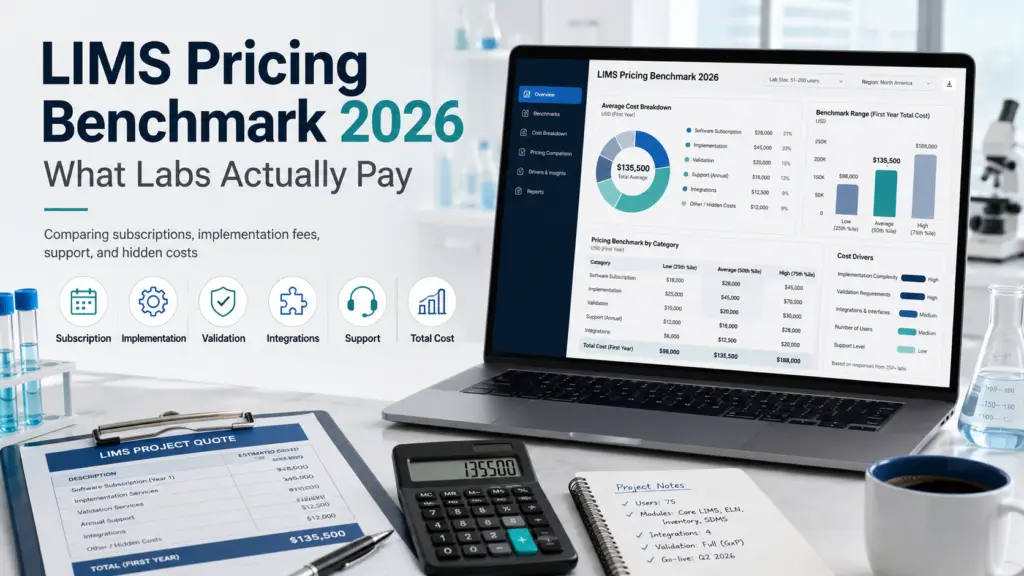
Cloud LIMS subscriptions in 2026 cluster between roughly $40 and $300 per user per month, with published vendor tiers concentrated in the $250–$425 range for mid-market testing platforms. Perpetual on-premise licences start around $20,000–$50,000 and reach seven figures for enterprise deployments, with annual maintenance typically adding 20–25% of the licence cost. But the single most useful finding of this benchmark is methodological: most LIMS pricing circulating online is estimated rather than verified, sources contradict each other on the same products, and at least one widely cited pricing aggregator discloses that its figures are AI-generated extrapolations. This guide separates what is genuinely documented from what is guesswork. Why this benchmark exists — and why it comes with caveats Ask what a LIMS costs and you enter one of the most opaque software markets in the enterprise landscape. Most vendors publish nothing, releasing numbers only after a demo and a sales conversation. That opacity has produced a secondary industry of pricing “guides” that fill the vacuum with estimates, and those estimates then get cited as though they were facts. We think a pricing benchmark is only useful if it is honest about the provenance of every figure. So this guide tiers its data by how well-evidenced it is: One warning belongs up front. ITQlick, which ranks prominently for many LIMS pricing queries, states on its pages that its content includes contributions from OpenAI’s ChatGPT and Google’s Gemini, and its own methodology notes describe competitor figures as extrapolated from single-user or 100-user pricing with onboarding and hidden fees excluded “due to lack of available data.” Those numbers may be directionally reasonable, but they are models, not observations, and they should not anchor a procurement budget. We exclude them from the vendor table below and cite them only where labelled as estimates. For how these costs are structured rather than what they total, see our LIMS pricing models explainer. Vendor-level pricing: what is actually documented The following table covers vendors whose pricing is either published directly or reported by major aggregators. Where sources disagree, we show the disagreement rather than averaging it away. Vendor Reported price Tier Source & notes QBench Starter $249/user/mo; Growth $299; Advanced $399; Enterprise on request B Capterra, June 2026. Volume discounts available; no free version or trial listed. QBench Foundation $275/user/mo; Growth $325; Advanced $425 B/C G2 lists entry at $275; a competitor blog (Scispot) reports the $275/$325/$425 ladder. See conflict note below. Scispot Up to 10 complimentary user seats on most plans; seat-based with volume discounts thereafter; one-time implementation fee A Scispot published pricing page. Vendor also markets an Essential plan around $9,000/year via marketplace listing. Benchling Free unlimited academic tier; commercial reported to start around $15,000/year for a small team B/C Academic tier is vendor-published (A); the commercial figure is third-party reported and Benchling does not publish list pricing. Qualis LIMS Basic cloud package $9,600/year, hard-capped at 5 users; beyond that “customizable on request” B/C Reported by Scispot (a competitor); the 5-user cap and undisclosed higher tiers are the substantive points. 1LIMS $45–95 (€38–80) per user/month; setup €5,500–23,000 (~$6,400–27,000); labs of 2–35 users pay €400–1,700/month recurring A Self-published by the vendor, unusually transparent. Includes a named case: a 10-user QC lab paying $5,888 setup. Genemod Plans listed publicly; prices not disclosed. Discount programmes for diagnostics labs and academic departments A (structure) Genemod pricing page. A competitor confirms plans are listed without prices. LabWare, LabVantage, STARLIMS, SampleManager Not published — No public list pricing. Any per-user figures circulating for these platforms are third-party estimates, several explicitly AI-extrapolated. The QBench conflict is instructive. Capterra reports a Starter tier at $249/user/month, while G2 lists entry pricing at $275 and a competitor’s blog describes a $275/$325/$425 ladder. These cannot all be current simultaneously. The likeliest explanations are a mid-2026 price revision, tier renaming (Starter versus Foundation), or a competitor citing figures selectively. The lesson for buyers is not that any source is dishonest, but that published LIMS pricing has a short shelf life and must be confirmed with the vendor directly. Our QBench review covers the platform itself. Note also who publishes competitor pricing analyses. Several of the most detailed “X pricing explained” articles are written by direct competitors, and they consistently emphasize tier jumps and hidden costs — framing that is accurate as far as it goes but selected to disadvantage the subject. Read them for the structural insight, not the verdict. Market-level benchmarks: the ranges labs actually encounter Where vendor-specific data is unavailable, market ranges give useful orientation. These come from published guidance, and we attribute each so you can weigh the source’s incentives. Cloud subscription, per user per month. CloudLIMS publishes a range of $40 to $300+ per user per month for cloud systems, noting that per-user cost falls as user count rises. A separate buyer’s guide cites a wider band of $75 to $1,600 per user per month, and a healthcare-focused guide gives $25 to $1,600. The wide upper bounds reflect clinical and heavily regulated systems rather than typical mid-market LIMS. For planning, the $40–300 band matches the published vendor tiers above far more closely. Perpetual on-premise licences. CloudLIMS cites $50,000 to $250,000+ upfront. One vendor puts perpetual licences at roughly $50,000–70,000 (€43,000–60,000), while a buyer’s guide gives a much wider $20,000 to over $1 million depending on scale, and a healthcare guide cites $10,000 to $500,000. The consistent element across all sources is the annual maintenance charge: 20–25% of initial licence cost, with support fees in regulated environments commonly running 15–25%. Annual all-in totals by lab size. QBench’s own guidance segments the market into entry-level platforms under about $25,000/year, a mid-range of $25,000–50,000 (naming QBench, Genemod and CloudLIMS in that band), and legacy enterprise contracts above $50,000, with total cost of ownership reaching $100,000–200,000 once training, development and implementation are included — an overall span of roughly $10,000 to $100,000+ per year. A European vendor gives first-year costs of €10,000–15,000 for small labs rising to €40,000–50,000+ for large or complex ones. These two independent segmentations
LIMS Implementation Timeline: What to Realistically Expect
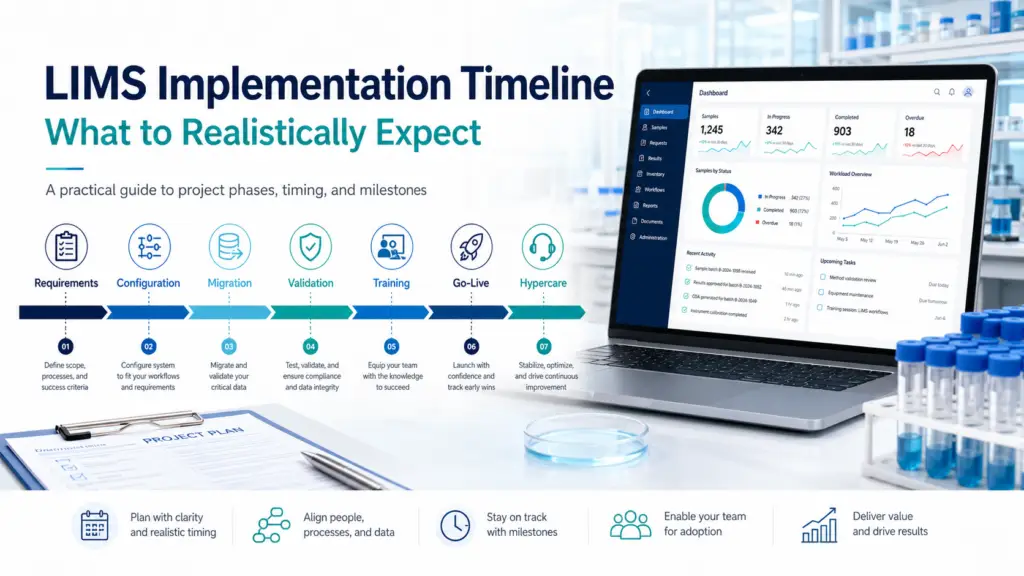
A LIMS implementation takes anywhere from about 6 weeks to 12 months or more, and the range isn’t vagueness — it’s the single most important thing to understand before you start. Where your project lands depends on three variables: your lab’s size and number of sites, how much you customize versus configure, and — most decisively — whether you did the readiness work before signing. This guide gives realistic, phase-by-phase timelines by lab type, names the stages where projects actually slip, and separates the genuine horror stories from the avoidable ones. Why “how long does it take?” has no single answer Ask a vendor how long a LIMS takes to implement and you’ll get an answer calibrated to close a sale. Ask a lab that just finished one and you’ll get a number shaped by their specific pain. Neither is dishonest, but neither generalizes — because implementation time is driven by factors that vary enormously from lab to lab. The useful way to think about it is that a LIMS implementation is not a software installation; it’s a multi-phase project that aligns a system with your workflows, your data, your instruments, and your compliance obligations. Two labs buying the identical product can see a 6-week gap and a 9-month project depending on scale, customization, and readiness. So rather than quoting a single figure, this guide gives you ranges anchored to your situation, and — just as importantly — shows you which of your own decisions move the number. It closes with the organizational risks that sit outside the schedule. Realistic timelines by lab type The ranges below reflect timelines reported across vendor implementation guides, practitioner accounts, and industry sources in 2026. Treat them as planning anchors, not promises. Small, single-site labs with minimal customization: roughly 6–12 weeks. A focused lab adopting a modern cloud LIMS, using vendor pre-configured templates and deferring nice-to-have features, can reach go-live quickly. Aggressive 6-to-8-week deployments are genuinely possible for simple scenarios — but they come with trade-offs: compressed testing and validation, limited stakeholder engagement time, and a heavier post-go-live support burden. Fast is achievable; fast-and-thorough is harder. Mid-sized labs with integrations: roughly 3–6 months. Once you add instrument integrations, meaningful configuration to match established workflows, and real data migration, the timeline extends. A commonly cited range for configurable LIMS at this scale is around 6 to 9 months when the system is tailored closely to the lab’s processes, though well-scoped cloud deployments can land at the shorter end. Focused clinical or specialty labs: roughly 8–16 weeks. Cloud LIS/LIMS deployments for a single clinical or specialty lab typically run in this band, extending for multi-site or multi-specialty operations. The interface build — connecting to EHRs and instruments — is frequently the critical path here. Our LIMS for clinical and diagnostic labs guide covers the clinical specifics. Enterprise and multi-site deployments: roughly 6–12 months, sometimes longer. Multiple locations, diverse lab types under one system, complex enterprise integrations (ERP, CRM), and thousands of users push projects into the 6-to-12-month range and occasionally beyond. These are best implemented in waves — by geography or lab type — with central configuration management rather than a single big-bang cutover. Enterprise platforms like LabWare, LabVantage, and STARLIMS live here; see our reviews of LabWare, LabVantage, and STARLIMS for how their heft affects deployment. A calibrating rule of thumb from practitioner reports: add 30–50% to each phase if the internal project owner is allocated less than half-time to the implementation. Under-resourcing the project lead is one of the most reliable ways to blow the timeline. The phases — and where each one hides delay Regardless of size, a LIMS implementation moves through the same sequence. Understanding what each phase demands is how you build a timeline that survives contact with reality. Phase 1 — Discovery and requirements (often underestimated) The project begins not with software but with mapping what your lab actually does: workflows, sample types, result templates, approval chains, report formats, and the regulations that bind you. This phase also prioritizes requirements into “must have” versus “nice to have” — a distinction that later governs whether you stay on schedule. Skipping or rushing discovery is the root cause of a large share of failed implementations, because everything downstream is built on it. Well-run projects treat the first stretch as configuration-away-from-production: your instance is built to match your workflows while the lab keeps running exactly as before, and staff don’t touch new software yet. Phase 2 — Configuration (and the customization trap) Here the system is shaped to your processes. The single biggest timeline risk in this phase is scope creep: as users see what’s possible, feature requests multiply, each requiring additional development, testing, and validation that pushes go-live back. Industry guidance is emphatic that customization should happen only where it delivers genuine business value, because every customization compounds future maintenance, migration, and validation effort. The discipline of implementing must-haves first, in an iterative approach, is what keeps projects from bogging down. Phase 3 — Data migration (the most common budget and time surprise) If there’s one phase that consistently runs longer than planned, it’s this one. Data management and migration is almost always a bigger job than anticipated. Historical results, method parameters, and sample records living in spreadsheets or legacy systems must be cleaned, mapped, validated, and imported — and the messier the source data, the longer it takes. Poor compatibility between old and new systems can cause corruption, loss, or duplication that requires extensive validation and can stretch the process for months. The fix is to treat migration as its own workstream with a named owner, and to do the data cleanup before deployment rather than discovering it mid-project. Phase 4 — Integration and testing Connecting instruments and enterprise systems is where technical reality bites: protocol mismatches, legacy-equipment limitations, and manufacturer incompatibilities can all impede seamless data flow. Testing must cover data integrity, workflow alignment, security, and instrument integration, ideally simulating real-world scenarios before go-live. For regulated labs, formal validation
Spreadsheets vs LIMS: When Does Your Lab Actually Need to Switch?
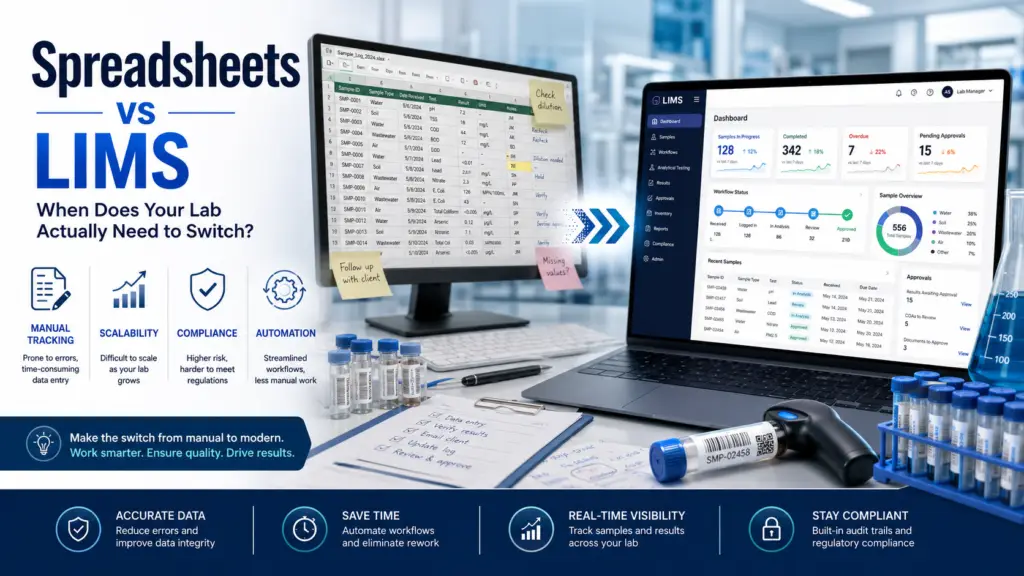
Spreadsheets are not the enemy. They are accessible, flexible, free, and genuinely sufficient for many labs — which is precisely why almost every laboratory starts with them and many stay too long. The switch to a LIMS is not an ideological upgrade from “old” to “modern”; it is a financial, regulatory, and operational decision that becomes justified at a specific inflection point. This guide identifies that point honestly: the signals that you’ve outgrown Excel, the signals that you haven’t, and how to tell the difference before a spreadsheet error costs you an audit finding or a client. Why this decision is harder than the vendors admit Search “spreadsheets vs LIMS” and you’ll find a wall of content arguing that Excel is a liability and you should switch immediately. Notice who publishes most of it: LIMS vendors. That doesn’t make them wrong — spreadsheets carry real, documented risks — but it does mean the framing is systematically skewed toward “switch now,” because that’s what sells software. The honest version is more nuanced. Spreadsheets endure because they solve problems immediately: a lab manager can build a tracking template in an afternoon with no procurement cycle, no validation documentation, and no IT involvement, and formulas automate calculations for free. That is real value, not a mistake. The genuine question is not whether a LIMS is more sophisticated than Excel — of course it is — but at what point spreadsheet-based management crosses from asset to liability for your specific lab. This article answers that question in both directions, because telling a five-person academic lab it urgently needs a $40,000 LIMS is as much a disservice as telling a GMP manufacturing lab that Excel is fine. Our broader LIMS software pillar frames the category; this guide is about the timing of the decision. What spreadsheets genuinely do well Let’s give Excel its due, because understanding its real strengths is what makes the limitations legible. Spreadsheets are immediately accessible: everyone already knows how to use them, there’s no learning curve, and no budget approval required. They are infinitely flexible: you can restructure a sheet in seconds to match a workflow no vendor anticipated. They are free at the point of use, already sitting on every computer in the lab. And for genuinely simple needs — a single analyst logging a modest number of samples, a calculation-heavy workflow with few compliance demands, an early-stage lab still figuring out its processes — they are frequently the correct tool, not a compromise. The failure mode isn’t using spreadsheets. It’s using them past the point where their structural limitations start generating costs that exceed the price of a proper system — and not noticing, because those costs are diffuse and hidden rather than itemized on an invoice. The structural limitations that eventually bite Spreadsheets weren’t designed for laboratory management, and four gaps become material as a lab grows. No real audit trail This is the single most consequential limitation. Excel cannot reliably record who changed what, when, and why. Tracking changes across a file that’s been edited many times is clunky at best and effectively impossible at scale — you cannot clearly reconstruct where changes were made, by whom, or when. For any lab under regulatory oversight, this is disqualifying: audit trails with attribution and timestamps are exactly what ISO 17025, FDA 21 CFR Part 11, and equivalent frameworks require. A LIMS is architected to log every change as a matter of course. Our guides to ALCOA+ data integrity and 21 CFR Part 11 cover what regulators actually expect. Error-proneness at scale The most cited statistic in this debate deserves scrutiny and mostly survives it: studies have repeatedly found that a large majority of spreadsheets contain errors — often quoted around 88%. Even if the precise figure varies by study, the direction is not in dispute, and the consequences in a lab are severe: a single transposed digit can produce a compliance violation, an incorrect client report, or a public-health risk. The canonical cautionary tale comes from outside the lab — JP Morgan’s 2012 “London Whale” losses were traced in part to a spreadsheet formula error — but the mechanism is identical. Manual transcription of instrument output into a spreadsheet is, as one environmental lab guide bluntly puts it, a guaranteed source of errors. No enforced workflow or access control In an accredited lab, a result should not travel from analyst to final report without technical review. In a spreadsheet world, that review is managed by email, a “pending review” folder, and verbal agreement — none of which is enforced by the tool. A LIMS makes the approval workflow structural: a result cannot be released until an authorized reviewer explicitly validates it. Spreadsheets similarly lack meaningful role-based access control, so the difference between someone who may view data and someone who may alter it is a matter of trust rather than permission. Version chaos and fragility The stories are remarkably consistent across labs: someone overwrites a formula and an entire inventory count is silently wrong; a critical dataset lives on a laptop that just crashed; two versions of the same file circulate with conflicting numbers and nobody knows which is authoritative. Concurrent editing multiplies the problem. These aren’t exotic failures — they are the ordinary, predictable behavior of a tool being used past its design intent. The signals it’s time to switch Rather than a vague “when you grow,” here are the concrete triggers that, individually or in combination, justify the transition. If several of these describe your lab, the economics have likely already tipped. Regulatory or accreditation pressure. If you operate under FDA oversight, ISO 17025 or GLP/GMP, or face client audit requirements, structured audit trails and data integrity controls stop being optional. Preparing for an inspection with scattered spreadsheets is both inefficient and risky, and a single audit finding can cost more than a modest LIMS. Labs pursuing accreditation should read our ISO 17025 guide. Throughput or complexity growth. As sample volume or test complexity rises,
LIMS for Clinical & Diagnostic Labs : Buyer’s Guide
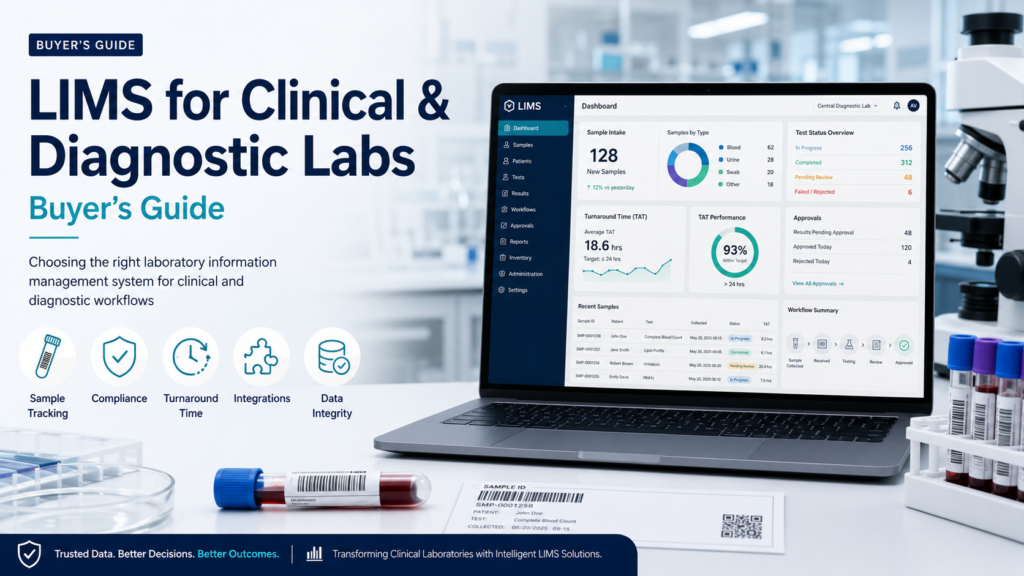
Quick verdict: Before you shortlist a single product, settle a prior question most buyer guides skip: does your lab need a LIMS, a LIS, or both? Clinical and diagnostic laboratories run patient-centric workflows governed by CLIA, CAP and HIPAA, which is LIS territory — while molecular and specialty labs increasingly need LIMS-style batch traceability that traditional LIS platforms were never designed to provide. Getting this categorization wrong is the single most expensive mistake in clinical lab software procurement, and it happens constantly. This guide resolves it first, then maps the vendor landscape by lab type. The distinction that decides everything The terms LIMS and LIS are used loosely across the industry, and in healthcare contexts many vendors and buyers now treat them as interchangeable. That looseness is convenient in conversation and dangerous in procurement, because the two categories were built around fundamentally different objects. A LIS is organized around the patient. Orders arrive tied to a patient encounter — via paper requisition, provider portal, or HL7 ORM message from an EMR. The output is a clinical report that lands in a chart and informs a care decision. The regulatory frame is CLIA, CAP accreditation, HIPAA and state licensure. The system must handle bidirectional EMR connectivity, reference lab routing, autoverification, and payer-clean billing handoffs, capturing CPT codes and diagnosis linkages for claim generation. A LIMS is organized around the sample. Specimens enter tied to a project, batch, or production run rather than a patient encounter — patient identity may be absent entirely. The workflow is multi-step preparation, aliquoting, batch instrument runs, and analytical computation, with reagent lots, plates, and freezer locations as first-class data. The compliance frame is GLP, GMP, ISO 15189/17025, or 21 CFR Part 11 — not CLIA. The historical origin explains the divergence: LIMS emerged from research and industrial laboratories where sample management and chain of custody dominate, while LIS emerged from clinical diagnostics where result reporting and EHR integration dominate. Our LIMS software pillar covers the broader category, and labs still weighing categories should read our ELN buyer’s questions too. The practical test: if your mission is patient diagnostics and your output goes into a medical record, you need LIS capability. If your specimens are batched, aliquoted and tracked through analytical workflows without patient identity as the organizing principle, you need LIMS capability. Most modern clinical specialty labs sit somewhere in the middle — which is exactly why this article exists. Why so many clinical labs genuinely need both The middle ground is now the majority case, not the exception. A toxicology lab runs an LIS workflow — chain of custody, HL7 ORM/ORU messaging, CLIA-aligned QC — while needing LIMS-style batch processing. A molecular diagnostics lab reports patient results but runs library preparation, plate-based batching, sequencing runs, and bioinformatics pipelines that look nothing like classical clinical chemistry. This is where a real tension has emerged in 2026. Some vendors argue that molecular diagnostic labs are outgrowing traditional LIS platforms, pointing out that a LIS typically cannot automatically move data between sequencers, bioinformatics platforms, and reporting — forcing labs into error-prone manual export-and-reimport cycles — and that LIS architectures were never designed for the batch-level traceability and documentation depth that molecular work demands. It’s a fair critique of the workflow gap, though it’s worth noting that the most vocal versions of this argument come from LIMS vendors selling into that gap. The pragmatic resolution most labs reach is not rip-and-replace but coexistence: a LIMS handling the analytical and batch workflow, integrated bidirectionally with the LIS via HL7 or FHIR for orders and patient reporting. When evaluating any platform for a specialty clinical lab, the integration story between these two layers deserves as much scrutiny as either system’s standalone features. What clinical and diagnostic labs must evaluate Regulatory compliance is the entry ticket Clinical labs face a compliance stack that research labs never encounter. CLIA ’88 governs testing performed on human specimens — CMS regulates roughly 320,000 lab entities under the program — with CAP accreditation, HIPAA, and state licensure layered on top. Several states impose additional requirements, with New York’s CLEP program among the most demanding, alongside California, Florida and Pennsylvania. Labs performing FDA-regulated work may face 21 CFR Part 11 obligations as well. What this means practically: role-based access control, timestamped audit logs capturing every field change with before-and-after values, electronic signature workflows, and encryption of protected health information aren’t premium features — they’re baseline requirements. CLIA requires them and CAP auditors expect them. Scale matters here too: where a research LIMS might log tens of thousands of activities monthly, a CLIA-certified lab can generate millions of audit records annually, since every order, result and amendment must be traceable. Interoperability determines whether the system works at all A clinical lab that cannot exchange data cleanly with its ordering providers is not operational. Modern platforms integrate bidirectionally with major EHR systems — Epic, Oracle Cerner, MEDITECH, athenahealth — using HL7 v2 for order and result messaging and, increasingly, FHIR R4 resources such as DiagnosticReport and Observation. Evaluate this concretely: ask which specific EHRs a vendor has live bidirectional interfaces with, how long a typical interface build takes, and what it costs. Interface work is frequently the largest hidden line item in a clinical lab implementation. Autoverification and rules engines For any lab with meaningful volume, autoverification — the rules-driven automatic release of results meeting defined criteria — is the difference between a system that scales and one that requires a technologist reviewing every normal result. Related capabilities include Westgard QC rules, critical value notification, and rule sequencing. These features carry direct labor implications, so weight them heavily if throughput matters. Billing and revenue cycle Unlike research labs, clinical labs must get paid, and the billing handoff is where many operations lose money invisibly. The system must capture CPT/HCPCS codes and diagnosis linkages cleanly enough to generate payable claims. Some vendors integrate revenue cycle management directly into the platform rather than requiring a separate billing system — a
Open-Source LIMS: Pros, Cons and When It Makes Sense
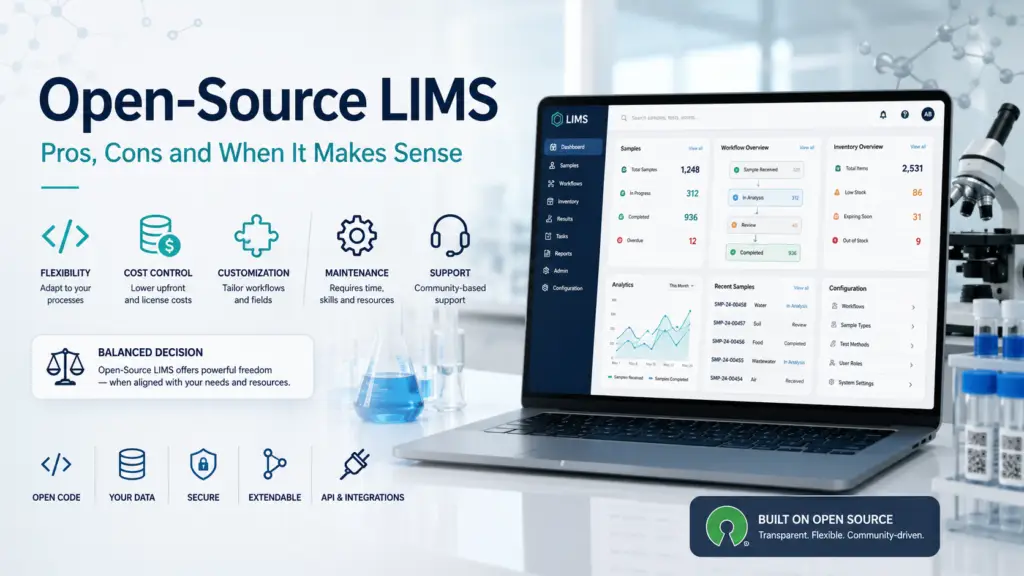
Quick verdict: Open-source LIMS is free to license, not free to run. For labs with technical capability, data-sovereignty requirements, or an allergy to vendor lock-in, it can be an excellent — occasionally superior — choice. For labs in regulated environments without in-house IT, the validation and support burden shifts entirely onto you, and the true cost frequently exceeds a commercial subscription. This guide is about the decision, not the catalogue: how to work out honestly whether open source fits your lab, before you invest six months finding out the hard way. The question this article answers Most open-source LIMS content is a list: here are the projects, here are their licences, here are their features. That’s useful once you’ve decided to go open source. It’s much less useful for the harder question that comes first — should you? That question deserves a direct answer, because the failure mode is expensive. A lab that adopts open source without the capability to sustain it doesn’t discover the problem on day one; it discovers it eight months later, mid-audit or mid-outage, when nobody can fix the thing. Conversely, a lab that dismisses open source reflexively may pay a commercial subscription indefinitely for capability it could have owned outright. So this guide works through the genuine advantages, the costs that don’t appear on any invoice, and a decision framework for telling which side of the line your lab sits on. If you want the landscape of specific tools alongside notebooks, our companion guide to open-source ELN and LIMS covers the projects themselves, and our eLabFTW overview examines one of the most polished options in depth. What “open source” actually means for a LIMS Before weighing pros and cons, it’s worth being precise, because the term is used loosely. An open-source LIMS is distributed under a licence that grants you the right to inspect, modify, and redistribute the source code. In practice, the licence matters: eLabFTW is AGPLv3, Senaite is GPL, LabKey Server is Apache 2.0, and each carries different obligations if you modify and distribute the software. For most labs simply using the system internally, these distinctions rarely bite — but if you plan to modify heavily or offer the system to third parties, read the licence properly. What open source does not mean is “free software with no strings.” It means the licence costs nothing and the code is yours to control. Everything else — hosting, deployment, configuration, upgrades, backups, security, support, and validation — is a cost you assume rather than one you outsource. That single reframing is the most important thing a prospective adopter can internalize. The genuine advantages No licence fees — and no per-seat escalation The obvious benefit, and a real one. Commercial LIMS pricing commonly scales with users, and labs frequently encounter sharp cost jumps when crossing tier thresholds. Open source removes that dynamic entirely: adding your tenth or fiftieth user costs nothing in licensing. For a growing lab on a fixed budget — academic groups, public-health programmes, early-stage ventures — this is not a marginal saving but a structural one. Our LIMS pricing models explainer covers how commercial pricing typically behaves by comparison. Genuine data sovereignty Your data lives on infrastructure you control. For academic labs concerned with long-term archival, institutions subject to data-residency rules or GDPR obligations, and any organization uneasy about where a vendor stores its records, this is often the decisive argument. It is also, notably, an argument that money cannot buy from a SaaS vendor — no amount of subscription spend gives you the control that self-hosting does by default. No vendor lock-in, and no exit problem One of the sharpest criticisms of commercial platforms is that leaving them is hard: proprietary formats and limited export options can turn a multi-year contract into a trap. Open source inverts this. The code is available for audit, and every workflow, configuration, and integration you build is owned outright by your organization, accumulating as institutional capability rather than as spend that stops the moment you stop paying. Transparency and adaptability The source code is inspectable, which matters for security-conscious labs and for anyone who needs to know exactly how a calculation or workflow behaves. It also means the system can be adapted to genuinely local needs — a significant advantage for labs whose workflows don’t match what commercial vendors have standardized around, and a recurring theme in why public-health and resource-constrained laboratories adopt open source. A maturing ecosystem The dismissive framing of open-source LIMS as hobbyist software is outdated. The 2026 ecosystem includes actively developed projects delivering regular releases — Senaite, eLabFTW, OpenELIS and others — that increasingly rival commercial offerings in features and usability, serving microbial, genomics, clinical, and general research labs. Senaite has continued shipping substantive releases with analytical improvements such as limit-of-quantification support and refined uncertainty handling. Several projects also support LIMS fundamentals seriously: Senaite leverages the Plone framework’s security model with role-based access control and LDAP authentication, and both Senaite and LabKey provide audit logging and fine-grained permissions. The costs that don’t appear on the invoice Here is where honest guidance matters most, because these are the factors that determine whether an open-source adoption succeeds. You are the support desk This is the most consequential trade-off. When a critical bug or compliance issue arises, you cannot call a help desk at 2am — you rely on community assistance, internal capability, or a contracted implementer. Community support can be excellent, but it operates on the community’s timeline, not your production emergency’s. Labs must decide up front whether to accept that risk, and for many operational environments, commercial support for the open-source system becomes close to a necessity rather than an option. Notably, paid support and certified implementers do exist for major projects such as Senaite and Bika — which is a sensible middle path, but one that reintroduces cost. Validation is entirely your burden For any lab in a regulated environment, this is usually the deciding factor. Commercial LIMS vendors typically supply
LIMS for Pharmaceutical QC: The Compliance-First Buyer’s Guide
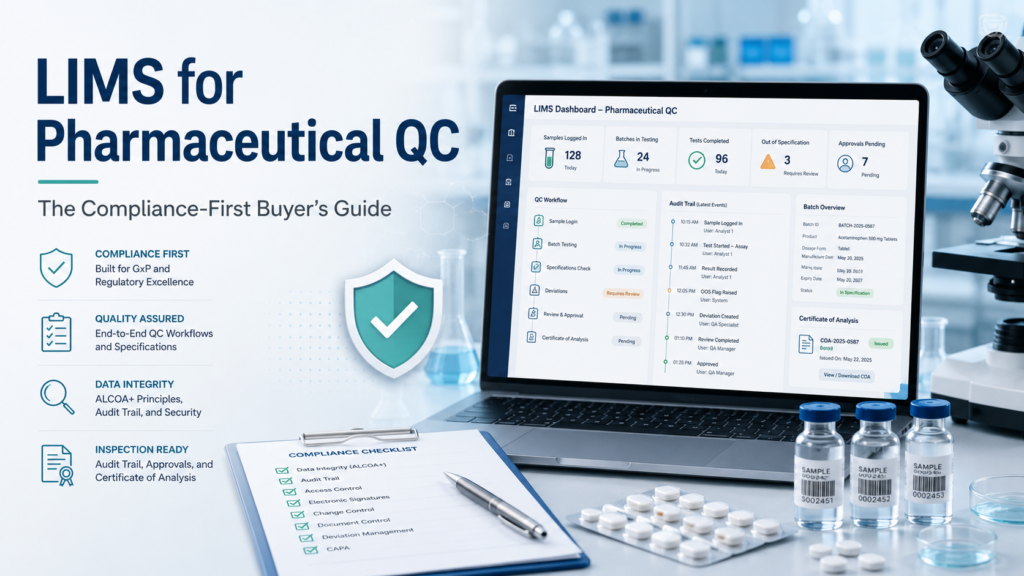
Quick verdict: In a pharmaceutical quality control lab, a LIMS is not a productivity tool with compliance features bolted on — it is a compliance system that happens to manage samples. The right choice is governed less by the length of a feature list than by the discipline of the system’s audit trails, its electronic-signature controls, its validation posture, and how well it withstands an FDA or EMA inspection. This guide explains what pharma QC actually demands of a LIMS in 2026, how the regulatory ground has shifted this year, and which vendors fit which kind of QC operation — with an honest account of their trade-offs. Why pharmaceutical QC is a category of its own Every laboratory cares about accurate data. A pharmaceutical QC lab has to prove it — to a regulator, on demand, years after the fact. That single difference reshapes everything about how a QC lab should evaluate a Laboratory Information Management System. In a pharma QC environment, the LIMS sits at the center of release decisions: raw material testing, in-process checks, finished-product analysis, stability studies, environmental monitoring, and microbiology all flow through it, and the data it holds ultimately underwrites whether a batch reaches patients. Because those records support GMP decisions, the system that creates, modifies, stores, or transmits them falls squarely under FDA 21 CFR Part 11 — the same obligation that applies to chromatography data systems, stability chambers, and QMS platforms. A LIMS in this setting is a regulated computerized system, and it must be selected, configured, and validated as one. This is why a QC buyer’s evaluation criteria look nothing like a research lab’s. Usability and speed still matter, but they sit beneath a non-negotiable foundation: data integrity, traceability, and inspection readiness. Get those wrong and no amount of workflow polish will save you from a warning letter. The regulatory ground has moved in 2026 — three shifts to understand Anyone buying or re-evaluating a pharma QC LIMS this year needs to understand three regulatory developments, because they change what “compliant” means in practice. First, validation expectations have shifted decisively toward risk-based assurance. FDA finalized its Computer Software Assurance (CSA) guidance in September 2025 and revised it in February 2026. Formally, CSA covers software used in medical device production and quality systems, so it does not bind pharmaceutical QC labs. But its risk-based, proportionate logic mirrors ISPE’s GAMP 5 Second Edition, which pharma widely follows: concentrate testing effort on the functions that directly affect patient safety and product quality, instead of validating every function to the same exhaustive standard and generating mountains of paper. When you evaluate a vendor, ask how their validation tooling and documentation support a CSA-aligned, risk-based approach — not just legacy CSV. Second, EU Annex 11 is being revised. The European GMP framework for computerized systems is undergoing its most significant update in over a decade, with the draft expanding emphasis on lifecycle traceability, stricter audit-trail expectations, and data governance. If your products touch European markets, a LIMS decision made in 2026 should anticipate the revised Annex 11, not just the current text. Third, data integrity remains the single most common cause of regulatory findings. This is not an abstract risk. The FDA issued more than 160 warning letters specifically citing data integrity deficiencies between 2017 and 2022, and analyses of 483 citations in the years since show that a majority relate to incomplete audit trails, backdated entries, or unvalidated systems. When inspectors arrive, the LIMS is often the first place they look. Choosing a system that makes data integrity the path of least resistance — rather than something staff must work around — is the most effective warning-letter insurance a QC lab can buy. The compliance foundations your QC LIMS must deliver Beneath the vendor marketing, a pharmaceutical QC LIMS must operationalize a specific set of controls. These are the features that inspectors actually probe, and the ones your evaluation should weight most heavily. ALCOA+ as the working standard Inspectors evaluate whether your records are trustworthy using the ALCOA+ framework: data must be Attributable, Legible, Contemporaneous, Original, and Accurate — plus Complete, Consistent, Enduring, and Available. A capable QC LIMS enforces these properties by design rather than by procedure: it timestamps entries contemporaneously, ties every action to an authenticated individual, preserves original captured values, and keeps records retrievable for the full retention period. When you assess a system, walk each ALCOA+ principle through a real workflow and ask how the software enforces it. Our deeper explainer on ALCOA+ and data integrity in the laboratory unpacks each element. Field-level, immutable audit trails The audit trail is the beating heart of a pharma QC LIMS. To satisfy Part 11 and survive inspection, it must be field-level, immutable, and human-readable, capturing for every change the old value, the new value, the user identity, the timestamp, and the reason for the change. Two capabilities separate adequate systems from strong ones: the granularity of what gets logged, and the ease of reviewing those logs. Audit-trail review is itself a GMP expectation, so a system that makes routine review practical — with filtering, exception flagging, and readable output — is worth far more than one that merely records everything into an unusable mass. Electronic signatures bound to the individual Part 11 requires that electronic signatures be uniquely linked to an individual and traceable, carrying the signer’s name, the date, and the reason for signing, with legal equivalence to a handwritten signature. In QC practice, signatures gate the actions that matter: approving results, releasing batches, authorizing method changes. A strong LIMS enforces signature meanings explicitly and prevents the signature from being detached from its record. Confirm, too, that the vendor supports the access controls that make signatures meaningful — unique user identities, enforced authentication, and role-based permissions consistent with cybersecurity best practice. Validation to intended use A LIMS is not compliant out of the box; it becomes compliant through validation to its intended use, and stays compliant through ongoing oversight. This is the
ELN Pricing Guide: Costs, Implementation Fees and Hidden Expenses
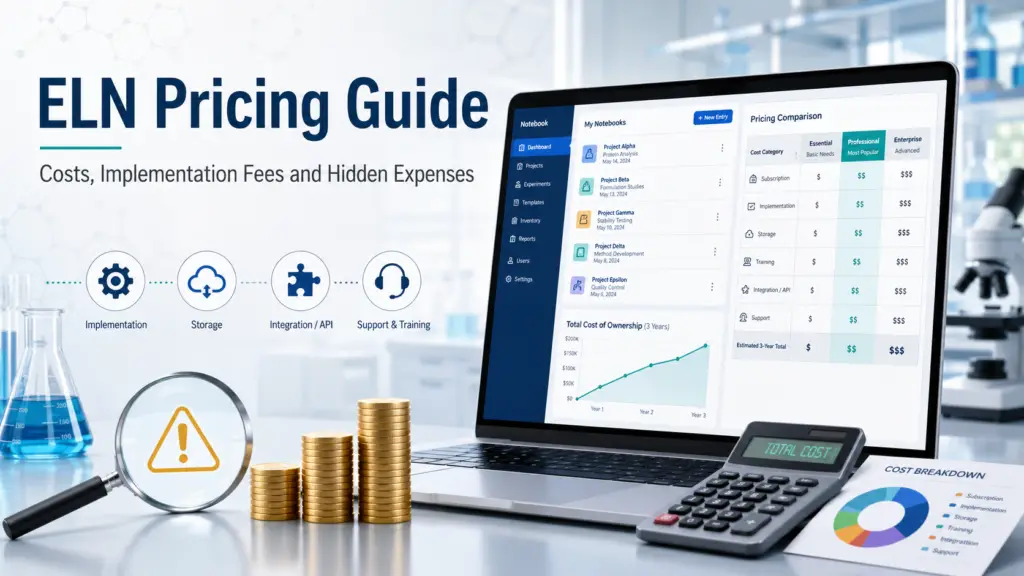
Electronic lab notebook pricing is rarely as simple as multiplying a monthly subscription by the number of scientists in your laboratory. The visible license price may cover access to the software, but the real cost of an ELN can also include implementation, workflow configuration, data migration, integrations, validation, training, storage, support and long-term system administration. Pricing transparency also varies significantly between vendors. Some ELN providers publish exact prices online. Others provide a free academic plan but require commercial organizations to request a quote. Enterprise platforms may not disclose any public pricing at all. This guide explains: Readers who are still defining their requirements can first consult our complete guide to electronic lab notebook software and our practical guide explaining how to choose an ELN. Read this first The single most important thing to understand about ELN pricing is that the lowest subscription price does not necessarily produce the lowest total cost. A low-cost ELN may become expensive when a laboratory needs extensive configuration, data migration, custom integrations or regulated validation. Conversely, a platform with a higher annual subscription may include onboarding, support or functionality that would otherwise need to be purchased separately. Laboratories should therefore compare vendors using a three-year total cost of ownership rather than the advertised license price alone. ELN pricing at a glance The table below includes only prices publicly displayed by the vendors themselves as of July 16, 2026. ELN or service Officially published price Pricing unit Important details LabArchives Free $0 Free plan Two owned notebooks, 1 GB of storage per user and a 25 MB file-size limit LabArchives Professional $330 academic / $575 corporate Per user, per year 100 GB of storage per user LabArchives ELN + Inventory $360 academic / $675 corporate Per user, per year ELN and inventory management LabArchives Education $25 Per student, per term Designed for classroom use Signals Notebook Standard Edition $1,425 Per person, annually Includes one production tenant, automatic updates and standard support Signals Notebook Jump Start Essentials $6,700 Implementation package A separately priced implementation service eLabFTW self-hosted software €0 software license Open-source deployment The organization remains responsible for hosting, maintenance and administration eLabFTW PRO Hosting 32 €3,200 Per year Up to 32 active users and at least 320 GB of storage eLabFTW PRO Hosting Plus €4,985 Per year Approximately 128 active users and at least 500 GB of storage eLabFTW PRO Hosting Universe €7,900 Per year Approximately 1,024 active users and at least 1 TB of storage eLabFTW training webinar €470 Per 90-minute session Remote training service eLabFTW PRO Support €3,000 Per year Support for organizations operating a self-hosted installation LabArchives publishes separate prices for academic and corporate customers. Its Professional plan costs $330 per academic user per year or $575 per corporate user per year. The ELN and Inventory package costs $360 per academic user or $675 per corporate user annually. The vendor also offers a free plan, enterprise pricing on request and a classroom plan at $25 per student per term. Revvity lists Signals Notebook Standard Edition at $1,425 per person annually. The official listing states that the subscription includes one production tenant, automatic updates and standard support. Revvity also publishes a separate Jump Start Essentials implementation package at $6,700. The eLabFTW application can be downloaded and self-hosted as open-source software. Deltablot, the company behind eLabFTW, separately sells managed hosting, support and training. Its published annual hosting plans start at €3,200 for up to 32 active users, €4,985 for approximately 128 active users and €7,900 for approximately 1,024 active users. Important pricing disclaimer These figures are reference prices, not guaranteed quotations. The final amount paid by a laboratory may depend on: A written quotation and contract should always take precedence over a price displayed on a public webpage. Why ELN vendors use different pricing models There is no universal unit for purchasing an electronic lab notebook. Understanding the billing model is therefore essential before comparing two quotations. It is also important to establish whether an ELN is genuinely the right type of software for the project. Our ELN vs LIMS comparison explains when laboratories may instead need sample-centric workflow management or a combined ELN-LIMS platform. 1. Named-user pricing Under a named-user model, every person with an account generally requires a paid license. A laboratory with 40 occasional users may therefore pay for 40 licenses even when only 20 people use the ELN during a typical week. Named-user pricing is easy to forecast, but laboratories should clarify whether the following people require full licenses: LabArchives and Signals Notebook publicly present their commercial entry-level pricing on a per-person or per-user annual basis. 2. Active-user pricing An active-user model charges according to the number of accounts that use the system during a defined period. Deltablot defines an active eLabFTW user as an account that has used the application at least once during the month. Its managed hosting plans are organized around approximate or maximum numbers of active users rather than individual named-seat prices. This model can be beneficial for organizations with a large population of occasional users. However, the contract should clearly define: 3. Organization-wide or capacity-based pricing Some ELN services use an annual platform fee based on an organizational capacity, such as: The eLabFTW hosting plans are examples of capacity-based annual pricing. A customer purchases a hosted environment with a specified active-user and storage capacity rather than paying a fixed public price for every named account. This model can produce a low effective cost per user when the available capacity is fully utilized. It can be less attractive when a laboratory purchases a large tier but uses only a small fraction of it. 4. Freemium pricing A freemium ELN provides a permanently free entry-level version and charges for additional capabilities, capacity or institutional management. For example: Free plans can be useful for individual researchers, evaluations and small academic teams. They should not automatically be treated as equivalent to an institutional deployment. Important limitations may include: For a broader evaluation of these options, see our independent guide